

You know that sinking feeling when you open your inbox on a Monday morning to find 47 new contact form submissions, and 46 of them are selling SEO services, crypto schemes, or something worse? I’ve been there. Not as the site owner, but as the developer who gets the panicked message: “Shahzad, my contact form is broken.” It’s not broken, it’s just unprotected. It’s one of the most common tickets I get, from clients and agencies I do white-label WordPress development for.
Here’s the good news: you don’t need an annoying “click all the traffic lights” puzzle on your form. There are five solid ways to stop Elementor form spam, from a free two-minute toggle to full server-level bot blocking. I’ve tested all of them on real client sites. Here’s what works, what doesn’t, and what I’d do on yours.
1. Elementor’s Built-In Honeypot (Start Here)
A honeypot is beautifully simple: a form field invisible to humans but visible to bots. Real visitors never see it, so they never fill it in. Spam bots gleefully fill in every field they find. If the hidden field comes back filled, Elementor quietly discards the submission. No error message, no drama.
Turning it on takes about two minutes. Edit the page with Elementor, click your form widget, go to Content, then Form Fields, and switch on Honeypot. Nothing to configure, nothing for visitors to see or click.
Now the honest part: a honeypot catches dumb bots, which send a surprising share of form spam. On a typical small business site it kills 60 to 70 percent of junk. But smarter bots skip hidden fields, and it does nothing against humans submitting spam by hand. It’s a free screen door: it keeps the flies out, not someone determined to walk in.
Still, because it costs nothing and annoys nobody, there’s no reason not to enable it. It’s step one on every site I touch.
2. Akismet Integration
Akismet is the old reliable of WordPress spam fighting. You’ve seen it catching junk comments for years, but it also screens Elementor form submissions. Every submission gets checked against Akismet’s huge database of known spam patterns, and the obvious junk is filtered before it reaches your inbox.
Install Akismet, grab an API key, then go to Elementor, then Settings, then Integrations, and connect it. From then on, it works silently.
The tradeoff is the license: free for personal sites, paid for business sites. It’s not expensive, but it’s another subscription. The other tradeoff is the occasional false positive: now and then a genuine enquiry gets flagged, so glance at the spam queue instead of ignoring it. Each submission also makes an extra API call, but on a normal contact form you’ll never notice.
For most of my client sites, honeypot plus Akismet ends the problem. Akismet covers the Elementor integration in their guide to Elementor form spam protection, if you want the official walkthrough.
3. reCAPTCHA v3 (Invisible, But Not Perfect)
Everyone knows the v2 checkbox, the “I’m not a robot” box that sometimes makes you identify bicycles for an eternity. reCAPTCHA v3 is the quieter sibling. It runs in the background, watches how the visitor interacts with the page, and scores them from 0 (definitely a bot) to 1 (definitely human). You set a threshold, and anything below it gets blocked.
To use it, register your site with Google for a site key and secret key, then paste them into Elementor, then Settings, then Integrations, under reCAPTCHA. Pick v3, set your threshold (0.5 is the usual starting point), and you’re done. Visitors see nothing but a small badge in the corner.
So why isn’t this my top pick? Three reasons. First, privacy: you’re sending visitor behavior data to Google, which makes some EU clients uncomfortable, and it belongs in your privacy policy. Second, false positives. People on VPNs or with aggressive privacy extensions sometimes score low and get blocked despite being genuine leads. Losing one real enquiry hurts more than deleting ten spam messages. Third, it can’t stop human spammers. If someone’s paid pennies to paste junk into forms by hand, a behavior score won’t catch them.
That said, when bot spam is truly relentless and honeypot plus Akismet isn’t enough, reCAPTCHA v3 is the next lever I pull. Just watch your conversions for a week after enabling it.
4. OOPSpam
OOPSpam is what I reach for when a client says “no Google tracking on my site, please.” It’s a spam filter built for forms, with no CAPTCHA puzzles. It checks submissions against blocklists of malicious IPs, disposable email domains, and known spam content, and can even block entire countries if your business only serves one region.
There’s a WordPress plugin that wires it straight into Elementor forms (the spam filter for Elementor form plugin on wordpress.org), so setup is mostly entering an API key and choosing how aggressive to make the filtering. Their guide to spam protection for Elementor forms walks through the options clearly.
The honest tradeoffs: there’s a free tier, but busy sites will outgrow it. And like any aggressive filter, it can over-block. I’ve seen it flag legitimate messages from people using throwaway email addresses, which some genuine customers do. If you turn on country blocking, double-check you’re not cutting off a market you want.
It shines in privacy-sensitive setups: no cookies, no behavior tracking, no Google in the loop. For agencies and EU-based businesses, that alone makes it worth considering.
5. Blocking Bots at the Server Level With Cloudflare
Sometimes the problem isn’t your form, it’s that bots are crawling your whole site. That’s when I look one level up, at Cloudflare. Its Bot Fight Mode and firewall rules challenge or block automated traffic before it reaches WordPress, and rate limiting throttles IPs that hammer your forms.
This is powerful stuff, and on high-traffic sites it’s often the missing piece. But it’s a blunt instrument. Cloudflare’s challenges don’t always distinguish a bot from a privacy-conscious human. I’ve seen legitimate visitors challenged just for using a VPN, and once a client’s own team got challenged submitting a test enquiry. Awkward phone call. The free plan covers the basics; the smarter bot management sits behind paid tiers.
And there’s a hard limit: server-level blocking stops bots, not humans. If your spam problem is a person copy-pasting junk, Cloudflare won’t save you. Use it as a safety net under your form-level protection, not a replacement.
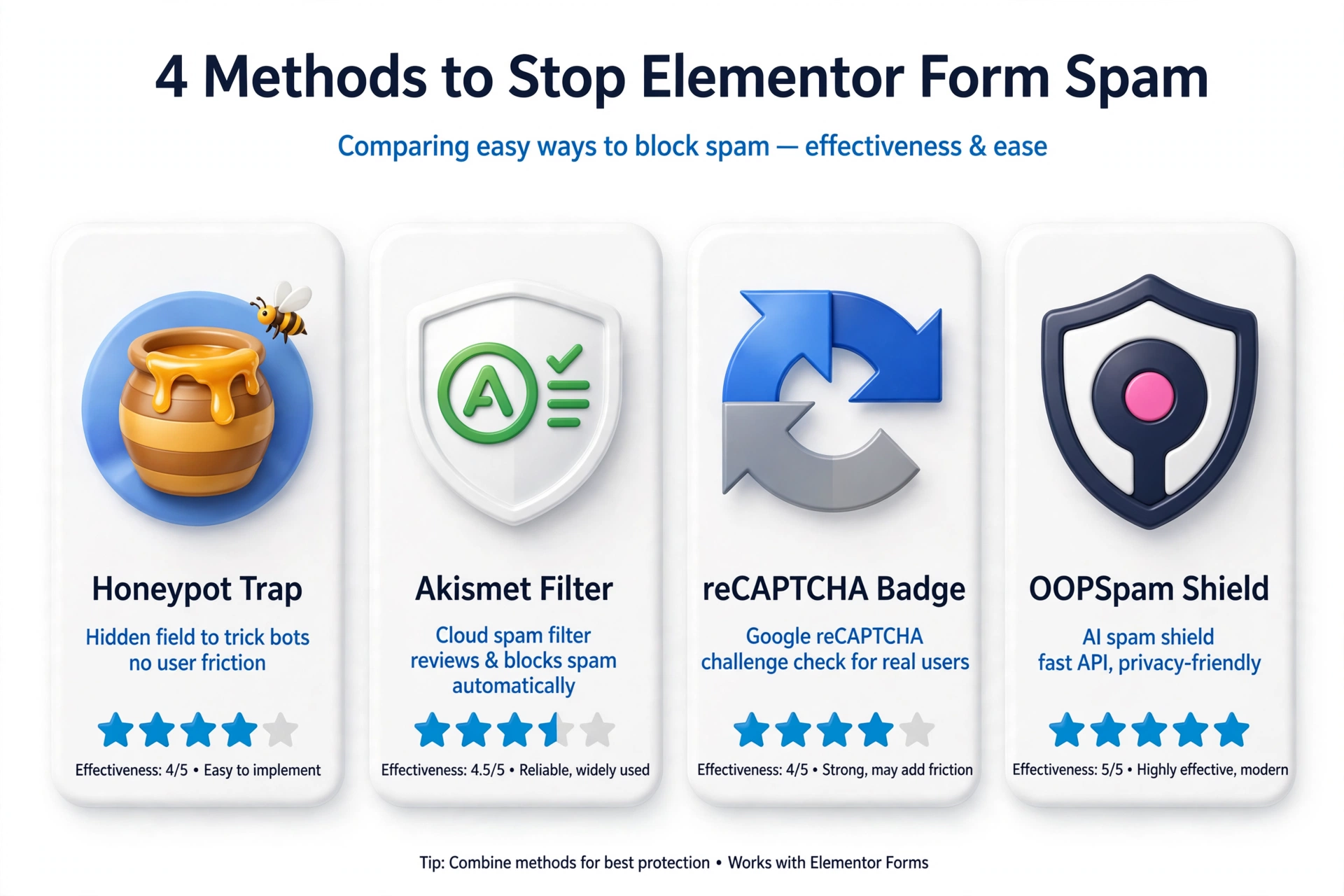
What I Actually Recommend
Here’s my honest ranking, based on what I’ve seen work across dozens of client sites.
1. Honeypot. Always. It’s free, invisible, and takes two minutes. There’s no downside.
2. Akismet. For most business sites, honeypot plus Akismet ends the spam problem. Best balance of effectiveness and zero visitor friction.
3. reCAPTCHA v3. Add only if spam still gets through after the first two. Watch conversions for a week.
4. OOPSpam. Pick this over Akismet when privacy matters more than convenience, or when you want country-level blocking.
5. Cloudflare bot rules. The safety net. Worth setting up on any serious site, but it won’t fix form spam alone.
The key is layering. No single method catches everything, but two or three quiet layers stacked together get you to near-zero spam without a single visitor solving a puzzle. I include this setup in the WordPress maintenance checklist I run for clients, because spammers evolve and these settings deserve a review a couple of times a year.
Frequently Asked Questions (FAQ)
Will a honeypot stop all Elementor form spam?
No, and anyone who tells you otherwise is selling something. A honeypot catches basic bots, which send most of the volume, but smarter bots skip hidden fields and human spammers ignore them entirely. It’s the best free first step, not a complete solution.
Does reCAPTCHA hurt form conversions?
The v2 checkbox can, because it interrupts people and occasionally serves those maddening image puzzles. v3 is invisible, so it rarely hurts conversions directly, but it can silently block legitimate visitors who score low, which is worse because you’ll never know. If you use v3, watch your submission numbers for a week.
Why am I still getting spam even with reCAPTCHA enabled?
Two likely reasons. Your score threshold is too low (try raising it from 0.5 toward 0.7), or your spam comes from humans, not bots. No CAPTCHA stops a person paid to fill in forms. For human spam, Akismet’s content analysis or OOPSpam’s blocklists beat any bot score.
Do I need a paid Akismet plan for a business website?
Yes. The free tier is for personal, non-commercial sites only, and they do enforce it. Paid plans cost far less than the time you’ll waste deleting spam.
Form spam is really about protecting your time and your leads. Start with the honeypot today, add Akismet this week, and you’ll wonder why you put up with the junk. And if you’d rather have someone handle it, get in touch. This is the kind of unglamorous work I genuinely enjoy.