

Core Web Vitals are the three measurements Google uses to judge how a page feels to a real visitor: how fast the main content appears, how quickly the page responds when you interact with it, and how much the layout jumps around while loading. They’re a ranking signal, they show up in Search Console, and more importantly they mirror whether your site feels fast or frustrating.
This is a practical, WordPress-specific guide. No theory for theory’s sake: each section tells you what the metric means, what usually hurts it on a WordPress site, and what to do about it.
Table of Contents
- The three metrics in plain English
- Measure first: lab data vs field data
- Improving LCP: get the main thing on screen fast
- Improving INP: stop making the browser think so hard
- Improving CLS: stop the page jumping around
- Elementor-specific tips
- Set realistic expectations
- Frequently Asked Questions (FAQ)
The three metrics in plain English
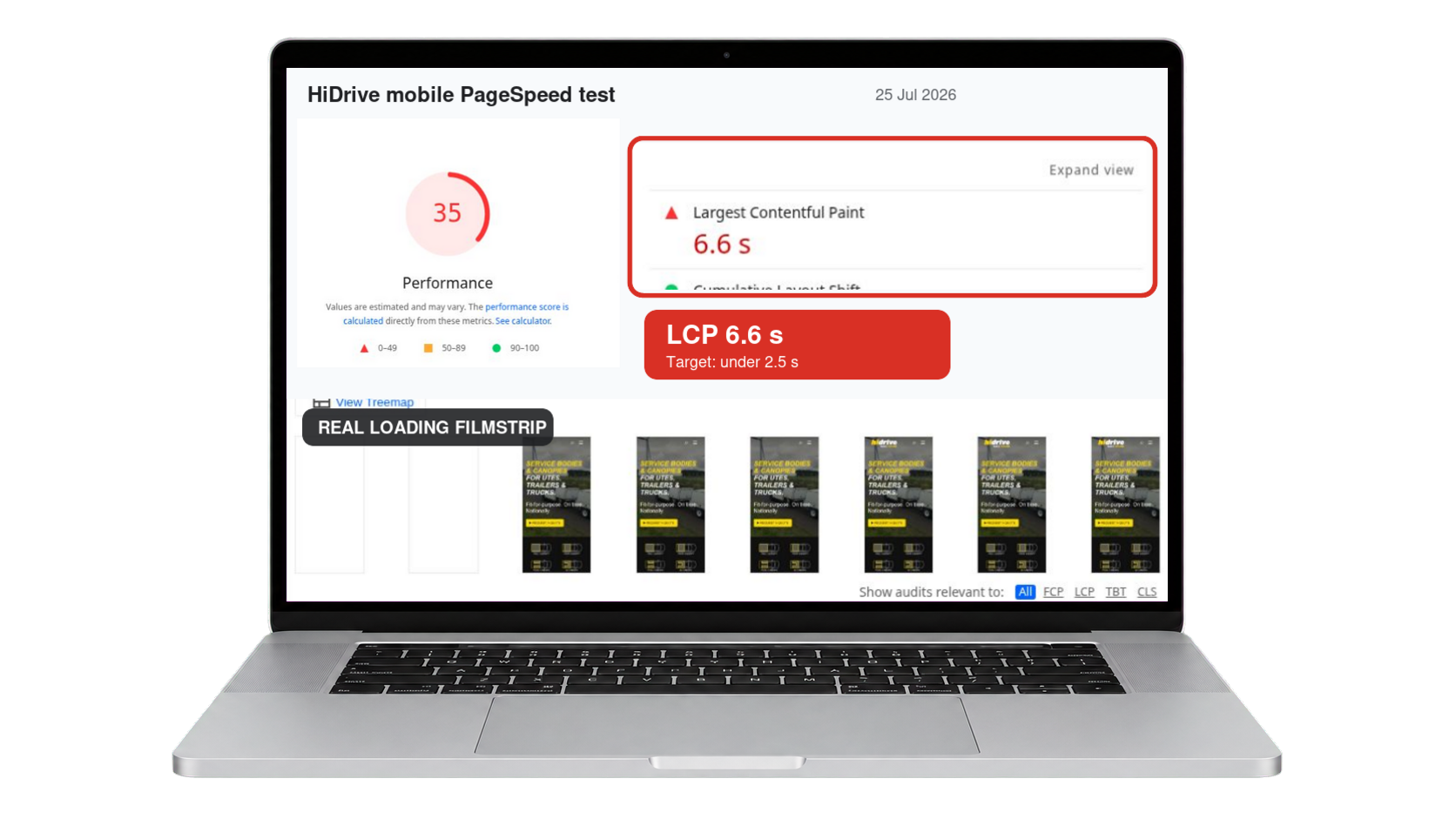
- LCP (Largest Contentful Paint): how long until the biggest visible element (usually your hero image or heading) is on screen. Good: under 2.5 seconds.
- INP (Interaction to Next Paint): how quickly the page reacts when someone taps, clicks or types. Good: under 200ms. INP replaced the older FID metric in 2024.
- CLS (Cumulative Layout Shift): how much the layout jumps around as things load. Good: under 0.1.
Measure first: lab data vs field data
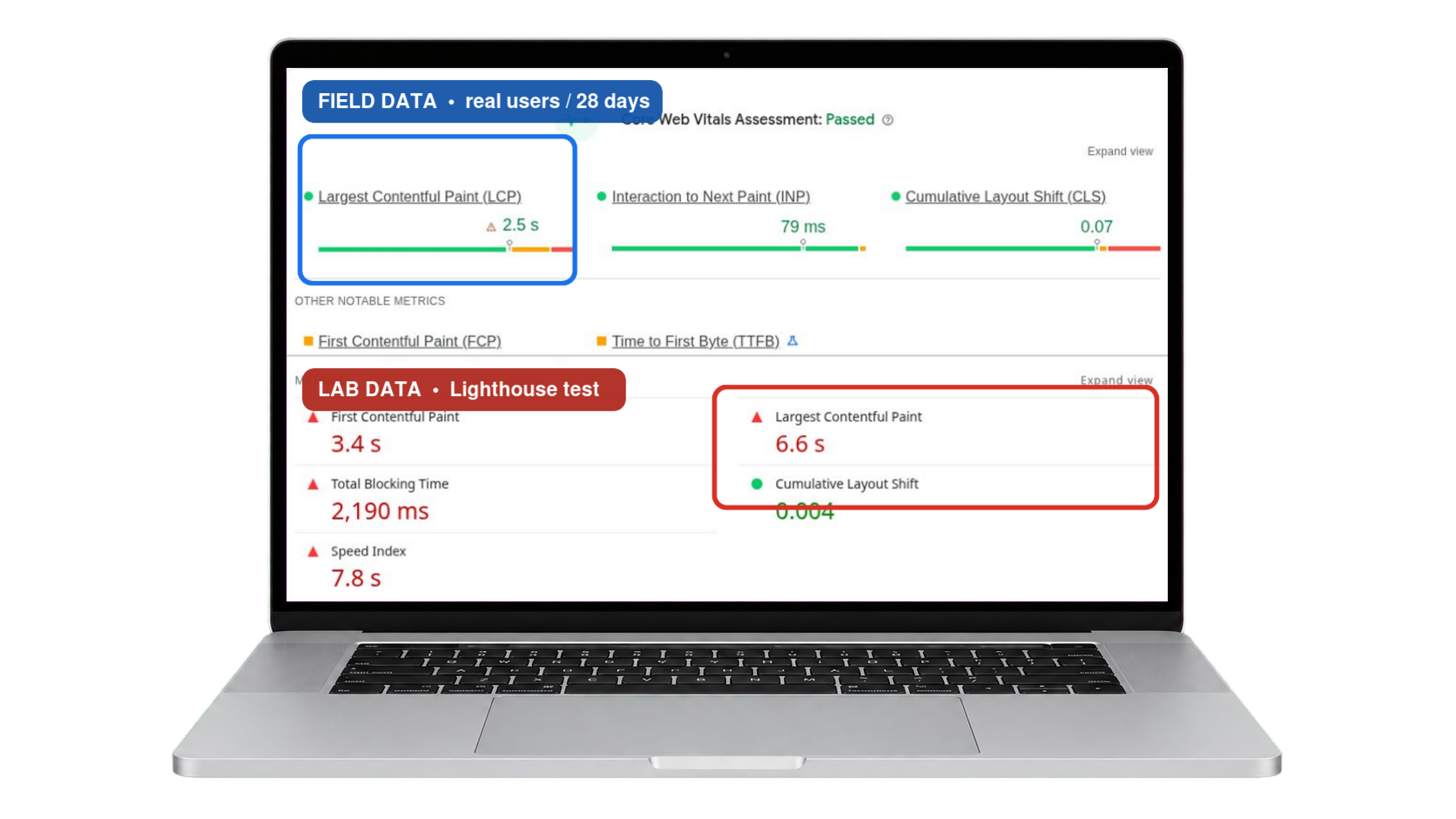
Run your page through PageSpeed Insights. You’ll see two kinds of numbers: field data at the top (what real Chrome users experienced over the last 28 days) and lab data below (a one-off simulated test). Field data is what actually counts for Google, but a new or low-traffic site won’t have any yet, so lab data is your working proxy. Search Console’s Core Web Vitals report shows you which URLs need attention as field data accumulates.
Improving LCP: get the main thing on screen fast
Fix the foundations
LCP is mostly a delivery problem. Slow hosting, no caching and heavy pages delay everything, so if you haven’t already, start with the basics in my guide to why WordPress sites are slow. Page caching plus a CDN routinely takes seconds off LCP on its own.
Optimise the LCP element itself
- Serve the hero image as WebP, sized to what’s displayed, not a 4000px original
- Never lazy-load the LCP image. Lazy-loading above-the-fold images is one of the most common self-inflicted LCP wounds in WordPress
- Preload it:
<link rel="preload" as="image">tells the browser to fetch it immediately (LiteSpeed Cache and most performance plugins can do this) - Prefer a real image or solid colour over full-screen background videos and sliders, because sliders are LCP poison
Improving INP: stop making the browser think so hard
INP suffers when the browser’s main thread is busy running JavaScript instead of responding to your visitor. On WordPress the usual suspects are too many plugins loading scripts everywhere, heavy page-builder animations, and third-party embeds.
- Defer non-critical JavaScript (a caching plugin setting) so it loads after the page is usable
- Remove or replace plugins that load site-wide scripts for a feature used on one page
- Load analytics and chat widgets after interaction or with a delay
- Keep fancy scroll effects and animations for where they earn their keep, since every effect is JavaScript the main thread has to run
Improving CLS: stop the page jumping around
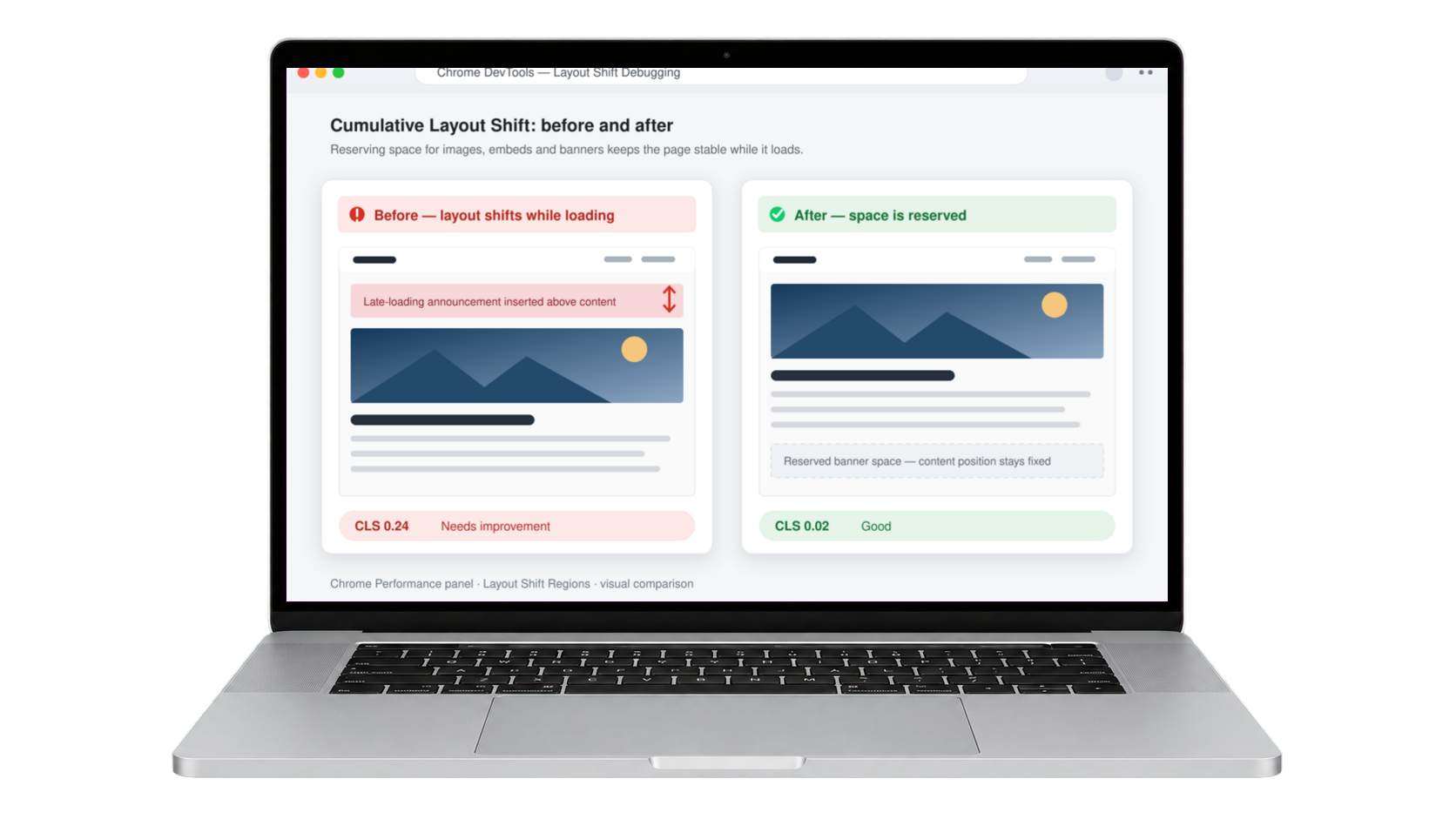
Layout shift is the most fixable of the three. It happens when the browser doesn’t know how much space something needs until it arrives.
- Always set width and height (or aspect ratio) on images so the browser reserves space. WordPress does this automatically for properly inserted images
- Reserve space for embeds, ads and iframes with a min-height on their container
- Use
font-display: swapand preload your main font so text doesn’t reflow when the font arrives - Avoid injecting banners or notices above existing content after the page has loaded
Elementor-specific tips
Elementor sites can absolutely pass Core Web Vitals. This site is built with Elementor and scores 100/100 in lab tests. What matters: a clean container structure instead of deep nesting, global styles instead of styling every element individually, Elementor’s built-in “Optimized Markup” and font-display settings enabled, and restraint with widgets that ship their own libraries. A rebuild of a messy page is sometimes faster than optimising it.
Set realistic expectations
Two honest caveats. First, field data updates on a 28-day rolling window, so fixes take weeks to show in Search Console, so don’t panic-revert after three days. Second, passing Core Web Vitals won’t rocket you up the rankings by itself; it removes a penalty and improves every visit, but content and relevance still do the heavy lifting. Anyone promising “guaranteed rankings” from speed work alone is overselling.
Frequently Asked Questions (FAQ)
What counts as a good Core Web Vitals score?
Largest Contentful Paint should be 2.5 seconds or under, Interaction to Next Paint 200 milliseconds or under, and Cumulative Layout Shift below 0.1. Each threshold has to be met by at least 75 percent of real visits, not by a single test, so a good lab score does not guarantee a pass.
Why is my PageSpeed Insights score different from Search Console?
They measure different things. PageSpeed Insights runs a simulated test on a throttled connection, which is lab data. Search Console reports what real Chrome users actually experienced, which is field data. Google uses the field data for ranking, so trust Search Console when the two disagree.
How long before Core Web Vitals improvements show up?
Expect around 28 days. Google’s field data uses a rolling 28-day window of real visitor sessions, so a fix applied today only reaches full effect once the older, slower sessions age out of that window. Lab tools will show the improvement immediately, which is why the two disagree after a fix.
What replaced First Input Delay?
Interaction to Next Paint replaced First Input Delay in March 2024. INP is a stricter measurement because it looks at every interaction across the whole page visit rather than just the first one, which is why some sites that passed comfortably under FID now fail.
Do I need a perfect 100 PageSpeed score?
No, and chasing one is usually wasted effort. A score of 100 is a lab result on a simulated device. What Google actually uses is field data from real visitors. A site scoring 75 that passes all three Core Web Vitals in the field is in better shape than one scoring 98 that fails INP.
Why does my site fail INP but pass everything else?
INP failures nearly always come from JavaScript occupying the main thread when someone tries to interact. On WordPress this usually means page builder scripts, chat widgets, analytics, or heavy interactive elements such as sliders and popups. It is the metric most affected by third-party scripts.