

You built (or paid for) a WordPress website, and now it takes five, eight, maybe ten seconds to load. Visitors leave, Google notices, and enquiries dry up. The good news: a slow WordPress site is almost always slow for a handful of predictable reasons, and most of them are fixable without a rebuild.
I’m a WordPress developer and SEO specialist, and speed problems are one of the most common things clients bring me. This guide walks through the twelve causes I see most often, roughly in the order I check them on a real site.
First: measure, don’t guess
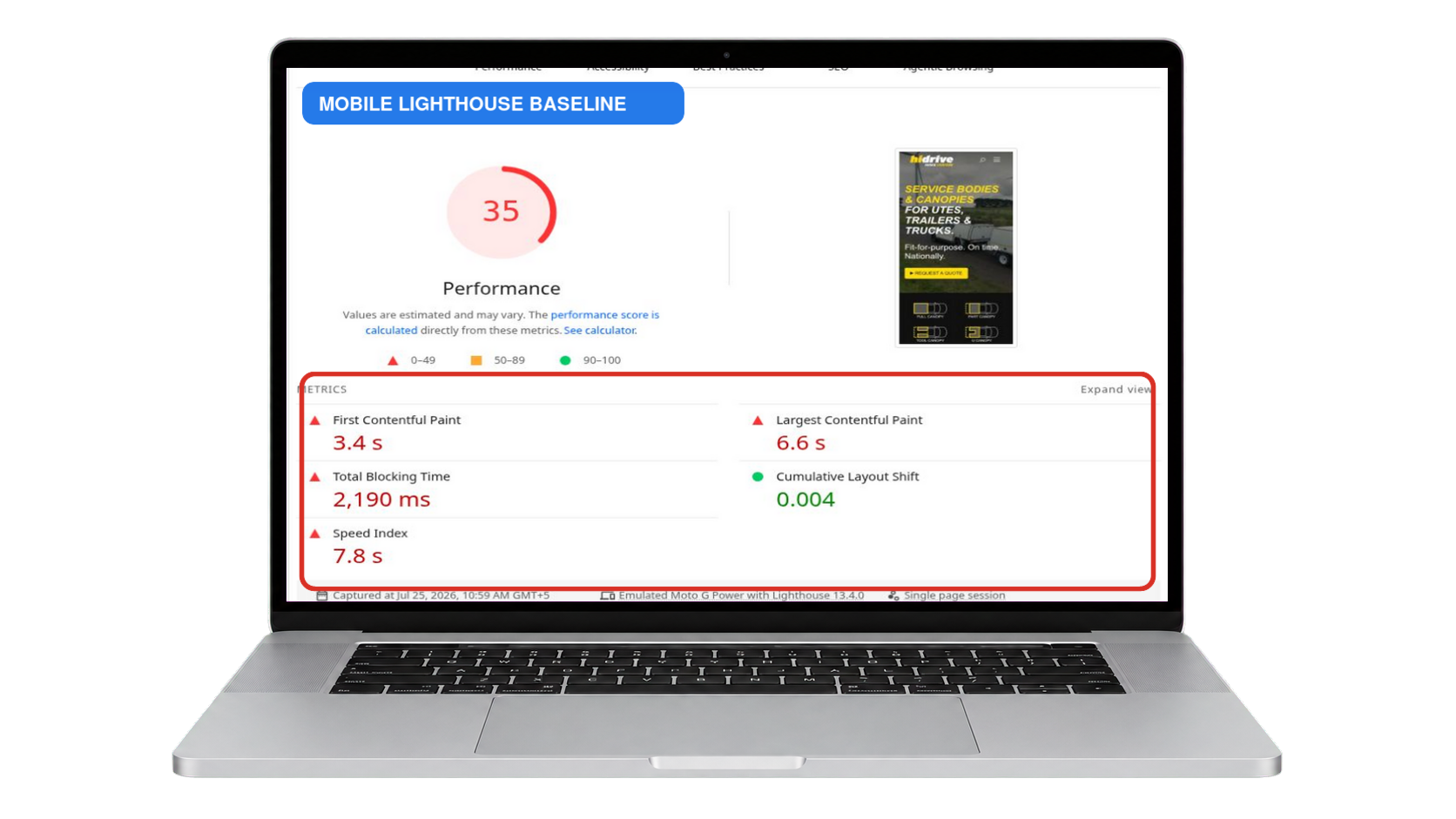
Before changing anything, get a baseline. Run your homepage (and one inner page) through PageSpeed Insights and note the numbers. Test on your phone over mobile data too, since that is how most of your visitors experience the site. Without a baseline you can’t tell which fixes actually helped.
Server-side causes
1. Cheap or overloaded hosting
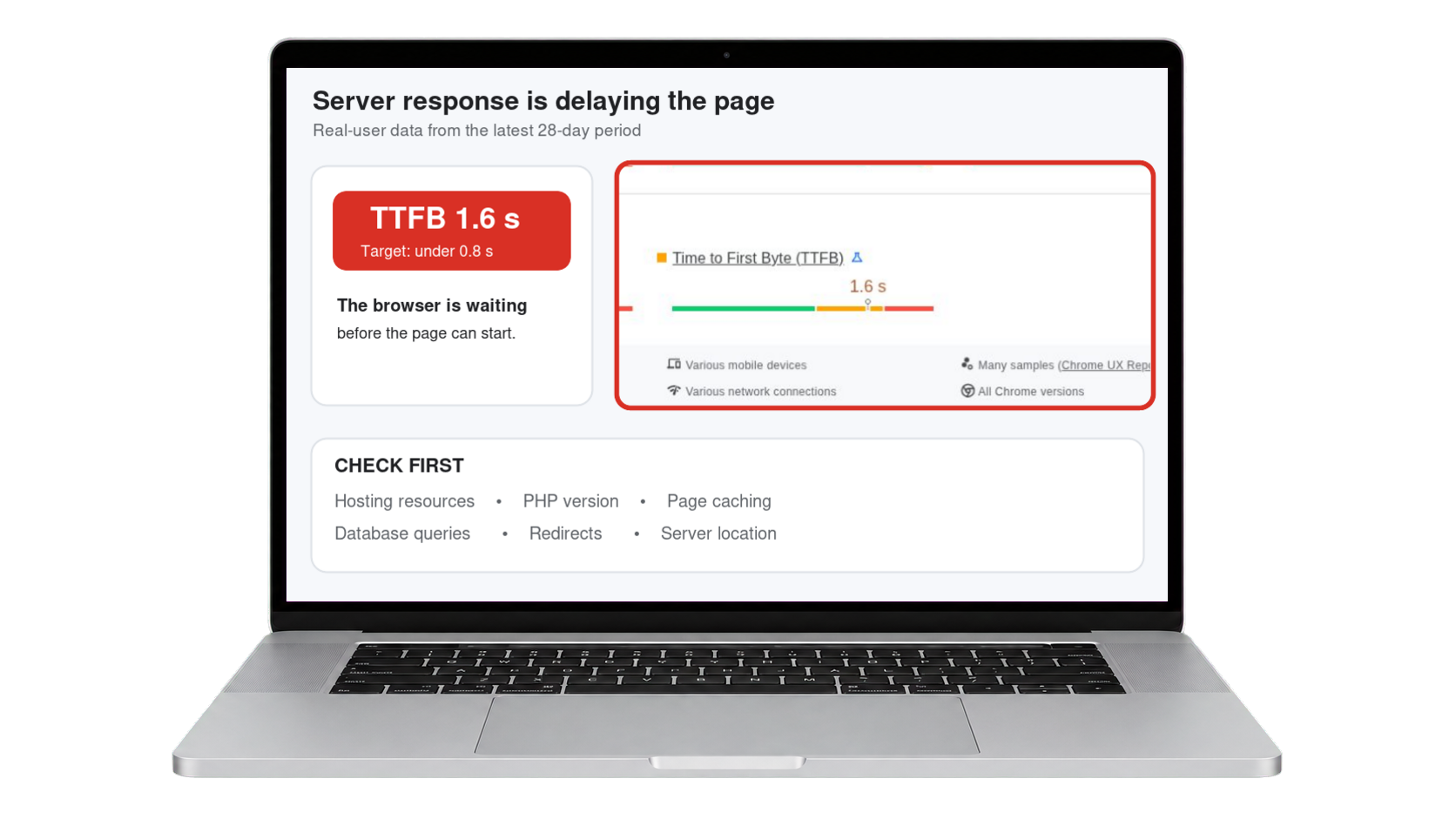
The biggest factor is often the one under everything else. On low-cost shared hosting, hundreds of sites compete for the same resources, and your “time to first byte” suffers no matter how optimised the site itself is. If your TTFB is consistently above ~600ms, talk to your host or consider moving. A decent host with LiteSpeed or similar server-level caching makes everything downstream easier.
2. An outdated PHP version
PHP 8+ is dramatically faster than the 7.x versions many older sites still run. Check under Tools → Site Health in your WordPress dashboard. Upgrading is usually one click in your hosting panel, but back up first and check plugin compatibility.
3. No page caching
Without caching, WordPress rebuilds every page from scratch, for every visitor, on every visit. A caching plugin (LiteSpeed Cache, WP Rocket, W3 Total Cache) serves ready-made copies instead. This is the single highest-impact fix on most sites that lack it.
4. Database bloat
Years of post revisions, spam comments, expired transients and leftover tables from deleted plugins slow every query. A cleanup with WP-Optimize or the database tools in LiteSpeed Cache once a month keeps things lean.
Front-end causes
5. Unoptimised images
The most common culprit I see: 4000-pixel photos, straight off a phone, squeezed into a 400-pixel column. Resize images to roughly the size they display, compress them, and serve modern formats like WebP. Image plugins or your caching plugin can automate this. Every image on this page is a WebP for exactly that reason.
6. Too many plugins (or a few heavy ones)
It’s rarely the number of plugins, it’s what they load. One bloated plugin that enqueues scripts and styles on every page can cost more than twenty lightweight ones. Deactivate what you don’t use, and use Query Monitor to spot the expensive ones.
7. Theme and page-builder bloat
Multipurpose themes and careless page-builder use generate enormous markup and load libraries you never use. Builders like Elementor can be fast, but only with a clean structure, global styles instead of per-element styling, and unused widgets and animations kept out. A tidy build is half the battle. If you are on Elementor specifically, I have gone deeper into this in why Elementor sites load slowly.
8. Render-blocking CSS and JavaScript
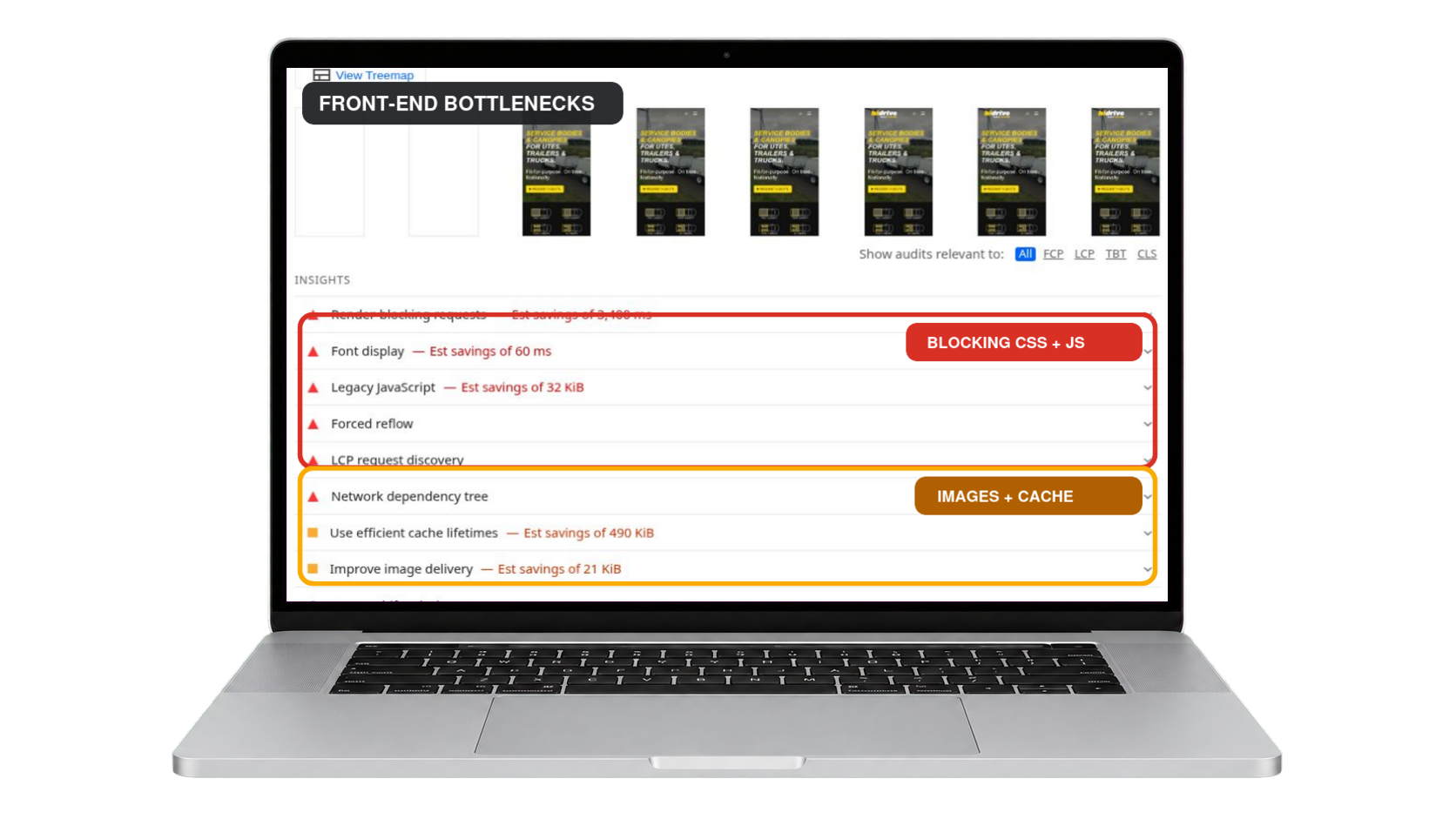
Files that must download before anything appears delay the whole page. Your caching plugin can usually minify CSS/JS, defer non-critical JavaScript and inline critical CSS. Enable these one at a time and retest, because aggressive settings can break layouts.
9. Third-party scripts and embeds
Chat widgets, tracking pixels, Google Maps, YouTube embeds, font services — each phones home to another server. Audit what’s genuinely earning its keep. Lazy-load video embeds (a click-to-play thumbnail costs almost nothing) and host what you can locally.
10. No CDN for a global audience
If your server is in Dallas and your visitor is in Sydney, physics is against you. A CDN (Cloudflare’s free tier is a fine start) caches your static files in locations around the world so they’re served from somewhere nearby.
Configuration mistakes
11. Redirect chains
http → https → www → final URL: every hop adds a round trip before your page even starts loading. Point internal links and menus at the final URL, and keep redirects to a single hop.
12. Too many font files
Five font families in nine weights means megabytes of downloads and text that flickers or shifts as it loads. Two families, in the two or three weights you actually use, is plenty — this site runs on a single family.
Where to start: my priority order
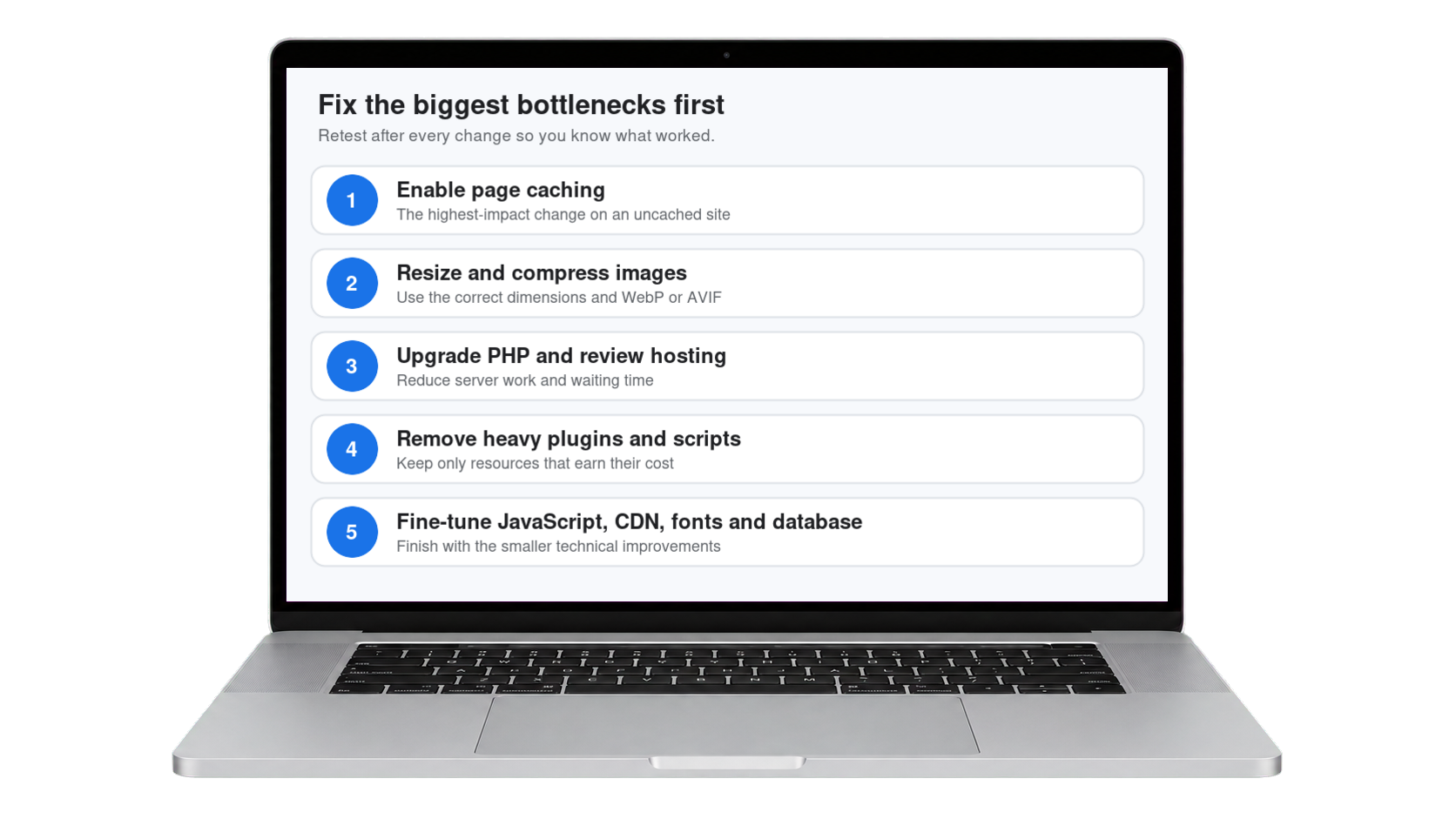
- Enable page caching — biggest win, least effort
- Compress and resize images, serve WebP
- Upgrade PHP to 8+
- Remove or replace the heaviest plugins and scripts
- Then fine-tune: defer JS, CDN, database cleanup, fonts
Retest after each change so you know what moved the needle. If you’ve done the basics and the site is still sluggish, the problem is usually structural — the theme, the build quality, or the hosting — and that’s where a professional pass pays for itself. And if it is green Core Web Vitals scores you are chasing specifically, my guide to improving Core Web Vitals in WordPress walks through LCP, INP and CLS one by one.
Frequently Asked Questions (FAQ)
Why did my WordPress site suddenly get slow?
A sudden slowdown almost always follows a change. The usual causes are a newly installed or updated plugin, a theme update, a batch of large images uploaded without compression, or a traffic increase your hosting cannot absorb. Check what changed in the last week before optimising anything, because fixing the wrong thing wastes time.
How many plugins are too many for WordPress?
There is no fixed number. Thirty well-built plugins can easily outperform eight badly built ones. What matters is what each plugin loads on every page, whether it runs database queries on every request, and how much data it writes to the options table. Judge plugins by their weight, not by counting them.
What is a good page load time for a WordPress site?
Aim for a Largest Contentful Paint under 2.5 seconds for at least 75 percent of real visitors. That is the threshold Google treats as good. Total load time is a less useful target, because a page can finish loading late and still feel fast if the main content appears quickly.
Will a caching plugin fix a slow WordPress site?
Caching usually produces the single biggest improvement for the least effort, because it stops WordPress rebuilding each page from the database on every visit. It will not fix the underlying causes though. Uncompressed images, a slow server, and bloated page builder output all remain after caching is enabled.
Is cheap shared hosting the reason my site is slow?
It is often a major factor. Shared hosting affects your time to first byte, which is the very first number in the loading sequence, before any plugin or optimisation can help. If your server takes 800ms to respond, no amount of front-end tuning will make the page feel fast.
Does a slow website hurt Google rankings?
Yes, though less dramatically than most people assume. Core Web Vitals are a confirmed ranking signal, but a modest one, and relevance still matters far more. The bigger cost of a slow site is usually commercial rather than algorithmic, because visitors leave before the page finishes loading.