

A website redesign should never cost you your Google rankings. But it does, regularly, when redirects are forgotten, URLs change without mapping, and the new site launches without anyone checking Search Console. Here’s the migration checklist I use to keep rankings intact through a redesign.
I’ve seen the same tragedy twice: a business gets a beautiful new website, launches it proudly, and watches organic traffic fall off a cliff over the following weeks. Every time, the cause was preventable: broken redirects, lost content, or technical changes nobody checked. A redesign is a migration, and migrations need a checklist. This is mine.
Phase 1: Before You Touch Anything (2-4 Weeks Before Launch)
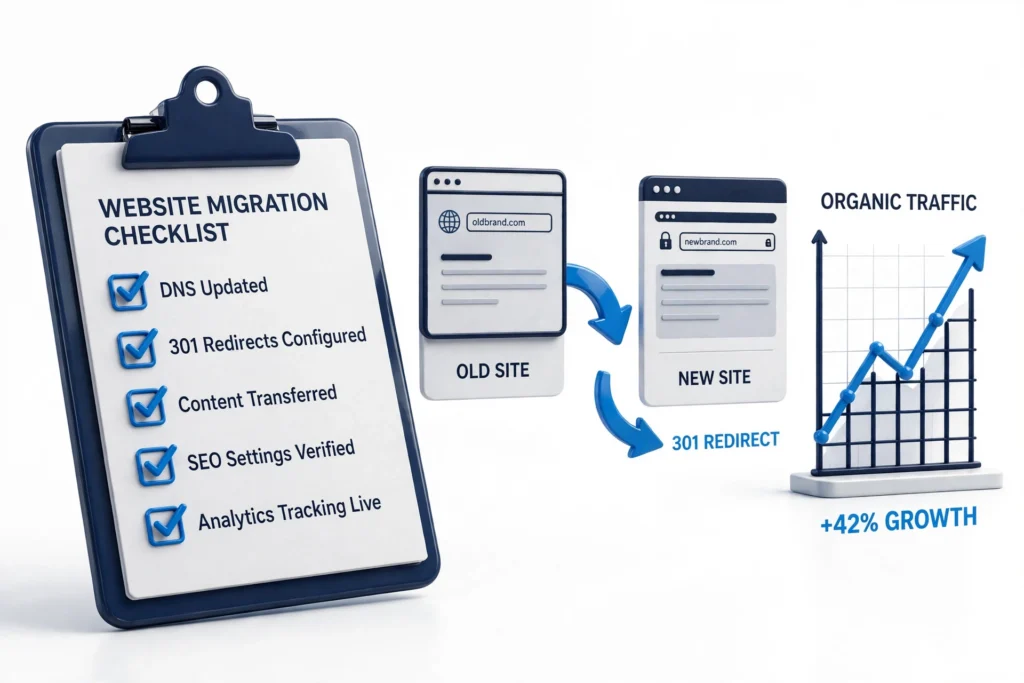
1. Benchmark everything
You can’t protect what you haven’t measured. Record: organic traffic (last 90 days in Analytics), keyword rankings for your top 20-50 terms, total indexed pages (site: search), backlink profile highlights, and Core Web Vitals scores. Screenshot it all. This baseline is how you’ll know, weeks later, whether the migration worked.
2. Crawl the current site
Run a crawler (Screaming Frog’s free tier covers 500 URLs) and export the full URL list with titles, meta descriptions, H1s, status codes, and word counts. This becomes your redirect map and your content inventory. Pay special attention to pages with backlinks: losing those URLs without redirects bleeds authority.
3. Inventory content: keep, merge, or kill
For every indexed page, decide: keep (migrate as-is), merge (consolidate thin pages into stronger ones, redirecting the old URLs), or kill (genuinely useless pages; let them 410). The classic redesign mistake is deleting half the site’s content for a “cleaner” feel and wondering where the traffic went. Thin the site deliberately, not accidentally.
4. Map every URL: old → new
Build the redirect map in a spreadsheet: every old URL gets a row, every row gets either its new equivalent or a deliberate decision (merge target, 410). Aim for 1:1 redirects to the closest matching content. Never blanket-redirect everything to the homepage. Google treats mass homepage redirects as soft 404s, and they leak the authority you’re trying to preserve.
Phase 2: Building the New Site
5. Preserve (or improve) on-page SEO elements
Title tags, meta descriptions, H1s, and internal linking carry ranking weight. When rebuilding pages, carry these over, or improve them deliberately, not accidentally. Run the same crawl on the staging site and diff it against the old one: every title and H1 change should be intentional. The technical SEO checklist covers what to verify.
6. Keep the content that ranks
If a page ranks #3 for a money keyword, its content is doing something right. Redesign the wrapper, keep the substance: the headings structure, the key paragraphs, the FAQ that wins the featured snippet. Designers love to cut copy for aesthetics. Make sure someone with SEO context reviews every high-traffic page before it ships.
7. Don’t let the new site be slower
Redesigns often ship heavier: bigger images, more animations, new plugin stacks. Benchmark the staging site’s Core Web Vitals against the old site before launch. A redesign that tanks LCP from 1.8s to 4s will cost rankings regardless of how good the redirects are. See how to speed up an Elementor site if the new build needs slimming.
8. Block staging from Google, then unblock at launch
Staging sites must be noindexed (and ideally password-protected) during development: duplicate content across staging and live URLs is a real problem. But the critical step is removing that block at launch. “We forgot to uncheck the discourage search engines box” is embarrassingly common. Put it on the launch checklist in bold.
Phase 3: Launch Day
- Deploy the redirect map. Test a sample of old URLs immediately (spot-check at least 20, including backlinked pages).
- Remove staging blocks: uncheck “discourage search engines,” remove noindex, remove password protection.
- Submit the new XML sitemap in Search Console.
- Verify analytics and conversion tracking fire on the new site.
- Test the contact/quote forms. A redesign that breaks lead capture is worse than a ranking dip (see finding #9 in my site audit findings).
- Check the homepage and key pages on mobile: layout, menu, call buttons.
Phase 4: After Launch (The Next 8 Weeks)
- Week 1: watch Search Console’s Pages report daily: indexation should climb, not crater. Check the “Page indexing” report for new errors.
- Week 2-4: expect some ranking fluctuation. It’s normal for 2-4 weeks post-migration as Google recrawls. Compare against your baseline, not against yesterday.
- Week 4: crawl the live site and verify no redirect chains or loops crept in; fix 404s showing in Search Console.
- Week 8: full comparison against baseline: traffic, rankings, indexed pages, Core Web Vitals. Investigate anything still down 10%+.
The 5 Deadliest Redesign Mistakes
| Mistake | What happens |
|---|---|
| No redirect map | Old URLs 404; backlink equity evaporates |
| Everything → homepage redirects | Google treats as soft 404s; rankings bleed out |
| Staging left noindexed | New site invisible to Google indefinitely |
| Content gutted for design | Ranking pages lose the substance that ranked them |
| New site much slower | Core Web Vitals tank; rankings follow |
A redesign is one of the highest-risk moments in a website’s life, and one of the highest-opportunity ones, if the migration is handled properly. If you’re planning one, get the migration handled by someone who’s done it before: I manage redesigns with SEO preservation built in, from baseline benchmarking to post-launch monitoring. Talk to me before you launch. It’s much cheaper than recovering afterwards. If you’re weighing costs, see what a WordPress website costs.
Frequently Asked Questions (FAQ)
Will my rankings drop after a redesign?
Temporary fluctuation for 2-4 weeks is normal as Google recrawls. A permanent drop means something broke: usually redirects, lost content, or a slower site. With proper migration, rankings typically recover fully and often improve on a faster, better-structured site.
Should I change my URLs during a redesign?
Avoid it if you can. Keeping URLs eliminates redirect risk entirely. If URL changes are necessary (new structure), that’s exactly what the redirect map is for: every old URL 301-redirected to its closest new equivalent.
How long does SEO recovery take after a migration?
Most well-executed migrations stabilize within 4-8 weeks. If traffic hasn’t recovered by week 8, treat it as a problem to diagnose, not patience to extend: check redirects, indexation, and content parity against your baseline.