

I’ve run a WordPress site audit on dozens of client sites over the years, and the same problems show up again and again: no backups, admin usernames, 40+ plugins, and PageSpeed scores in the red. Here are the issues I find on nearly every client site, and how to check your own.
When a new client hands me their website, the first thing I do is audit it: security, speed, SEO basics, and general health. After doing this many times, the pattern is unmistakable: it’s never exotic zero-day vulnerabilities or mysterious server issues. It’s the boring basics, neglected for years, on almost every site. Here are the findings that show up on site after site.
Table of Contents
- 1. No Working Backups (Found on ~80% of Sites)
- 2. The Username Is “admin” (Found on ~70%)
- 3. No Two-Factor Authentication (Found on ~90%)
- 4. 30-50 Active Plugins, Half of Them Dead Weight
- 5. PHP Version Years Out of Date
- 6. No Caching Whatsoever
- 7. Full-Size Images Uploaded Straight From a Phone
- 8. Missing SEO Basics: Titles, Descriptions, One H1
- 9. Contact Forms That Go Nowhere
- 10. No Uptime Monitoring
- 11. Google Analytics Installed Twice (or Never)
- 12. The Big One: Nobody Is Responsible
- Audit Your Own Site: The 15-Minute Version
- Frequently Asked Questions (FAQ)
1. No Working Backups (Found on ~80% of Sites)
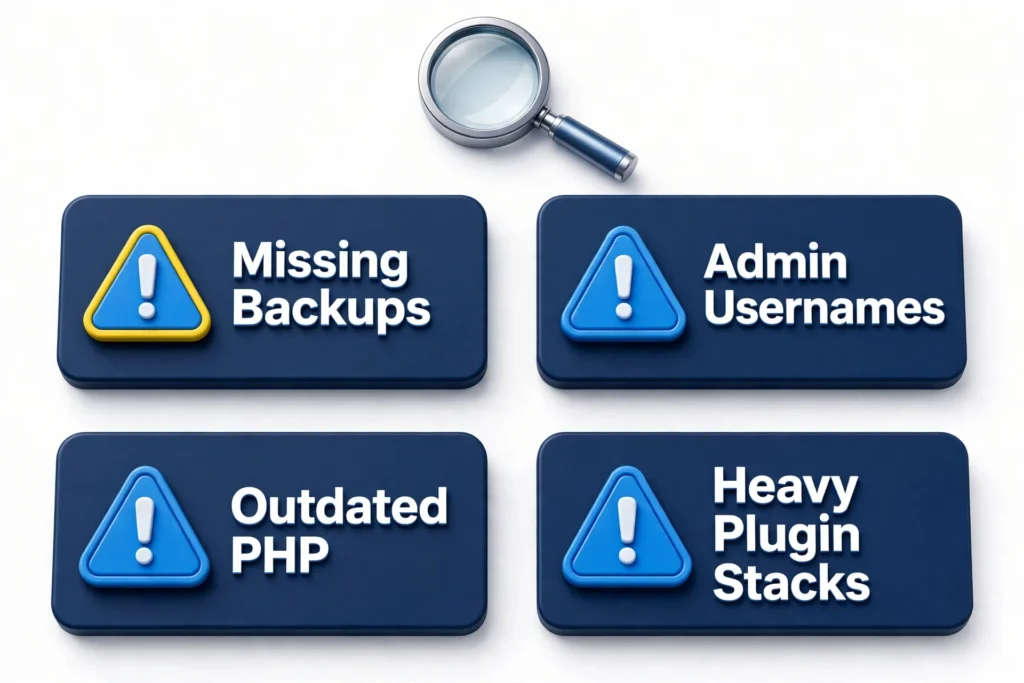
The most common and most dangerous finding. Either there’s no backup system at all, or there’s a backup plugin that hasn’t successfully run in months: full storage, expired license, or silently failing. A backup you’ve never tested is a hope, not a backup. The fix: automated daily off-site backups (UpdraftPlus to cloud storage is the free standard), plus a quarterly restore test. I cover the full routine in the WordPress maintenance checklist.
2. The Username Is “admin” (Found on ~70%)
Using “admin” as the username hands attackers half of your login credentials. Combined with no login-attempt limiting, it means automated bots can hammer the login page indefinitely. The fix takes five minutes: create a new administrator with a unique username, delete the old “admin” account (attributing its content to the new user), and install login protection. Full steps in the WordPress security checklist.
3. No Two-Factor Authentication (Found on ~90%)
Even with a strong password, a single factor is a single point of failure, especially when passwords get reused or phished. Almost no small business site I audit has 2FA enabled on admin accounts. It’s free, takes two minutes per user with an authenticator app, and blocks the vast majority of credential-based attacks. There is no good reason to skip this.
4. 30-50 Active Plugins, Half of Them Dead Weight
The typical audit reveals a plugin graveyard: three slider plugins, two contact form plugins, a “coming soon” plugin from 2021 still active, and abandoned plugins with no updates in years. Every plugin is attack surface and performance cost. The fix: audit quarterly, deactivate what you don’t use, delete (not just deactivate) what’s abandoned, and check remaining plugins for recent updates and active installs.
5. PHP Version Years Out of Date
I regularly find sites running PHP 7.4, which lost security support in 2022. Old PHP is both a security risk and a performance penalty: PHP 8.x is significantly faster than 7.x. Most hosts let you switch PHP versions in one click from the control panel. Update your plugins first, switch PHP, then test the site. If something breaks, you can switch back in the same click.
6. No Caching Whatsoever
Sites where every page view triggers full PHP execution and database queries: no page cache, no object cache, nothing. On shared hosting this is the difference between a 1-second and a 4-second load time. The fix is usually one well-configured plugin; my tested setup is in LiteSpeed Cache settings for Elementor.
It is rarely the only culprit, either. When a site feels sluggish I work through the full list in my guide to why WordPress sites are slow, because the causes stack: no caching plus old PHP plus oversized images needs a different fix from any one of them on its own.
7. Full-Size Images Uploaded Straight From a Phone
5MB photos uploaded directly from a camera roll, displayed at 800px wide. A media library full of these can add gigabytes of dead weight. The fix: compress and convert to WebP on upload (most caching plugins automate this), regenerate thumbnails after changing image settings, and never upload images wider than your content area needs. More in how to speed up an Elementor site.
Phone photos also carry hidden metadata, so run the EXIF data remover on uploads before you compress them.
8. Missing SEO Basics: Titles, Descriptions, One H1
Pages with “Home” as the title tag. No meta descriptions (or the same one on every page). Multiple H1s, or none. No XML sitemap submitted. These are five-minute fixes with an SEO plugin like Rank Math, and I find them missing on most small business sites. The technical SEO checklist covers the full set.
9. Contact Forms That Go Nowhere
Forms that look fine but silently fail: emails going to spam, to an ex-employee’s address, or into the void because the site has no SMTP configured. WordPress’s default mail function is unreliable on most hosts. The fix: configure SMTP (WP Mail SMTP with a proper sender), send a test submission monthly, and check that notification addresses are current. A broken contact form is a broken business.
10. No Uptime Monitoring
Nobody knows when these sites go down. The owner finds out from a customer, days later. Free uptime monitoring (UptimeRobot and similar) takes ten minutes to set up and texts you the moment the site stops responding. Every site I take on gets this on day one.
11. Google Analytics Installed Twice (or Never)
Either no analytics at all (“we’ve never checked”), or analytics installed twice (once via a plugin, once hardcoded in the theme), double-counting every visitor. Or still running Universal Analytics, which stopped processing data in 2023. The fix: one clean GA4 installation via Google Site Kit or Tag Manager, verified with a real-time visit.
12. The Big One: Nobody Is Responsible
Underneath every technical finding is the same root cause: nobody owns the website. The developer who built it moved on, the staff member who “knew WordPress” left, and the site has been running on autopilot for years. Websites are not appliances. They’re gardens. Without someone responsible for updates, backups, and monitoring, every finding above is just a matter of time.
Audit Your Own Site: The 15-Minute Version
- Check your backup plugin’s last successful run date. Right now.
- Look at your user list: is there an “admin” username? Is 2FA on?
- Count active plugins. Deactivate anything you can’t name the purpose of.
- Check your PHP version (Tools → Site Health → Info → Server).
- Run PageSpeed Insights on your homepage. Note mobile score and LCP.
- Submit a test contact form and confirm the email arrives.
- Check that your SEO plugin shows a sitemap and sane title templates.
If that list made you uncomfortable, that’s the point, and it’s fixable. I offer one-off website audits that go through all of this systematically, plus ongoing maintenance plans so the findings stay fixed. Your website should have an owner. It might as well be someone who does this every day.
Frequently Asked Questions (FAQ)
How much does a website audit cost?
It depends on the site’s size and complexity: a small business site audit typically takes a few hours and covers security, speed, SEO, and functionality. See WordPress website costs for general pricing context, or ask me directly.
How often should I audit my WordPress site?
A full audit once a year, plus the monthly checks in the maintenance checklist. Sites with e-commerce or frequent changes benefit from quarterly reviews.
Can I audit my own site with free tools?
Yes, for the basics: PageSpeed Insights for speed, your SEO plugin’s site audit for SEO fundamentals, and WordPress’s built-in Site Health (Tools → Site Health) for server and security issues. A professional audit goes deeper: backup integrity, code quality, and business-logic issues tools can’t see.