

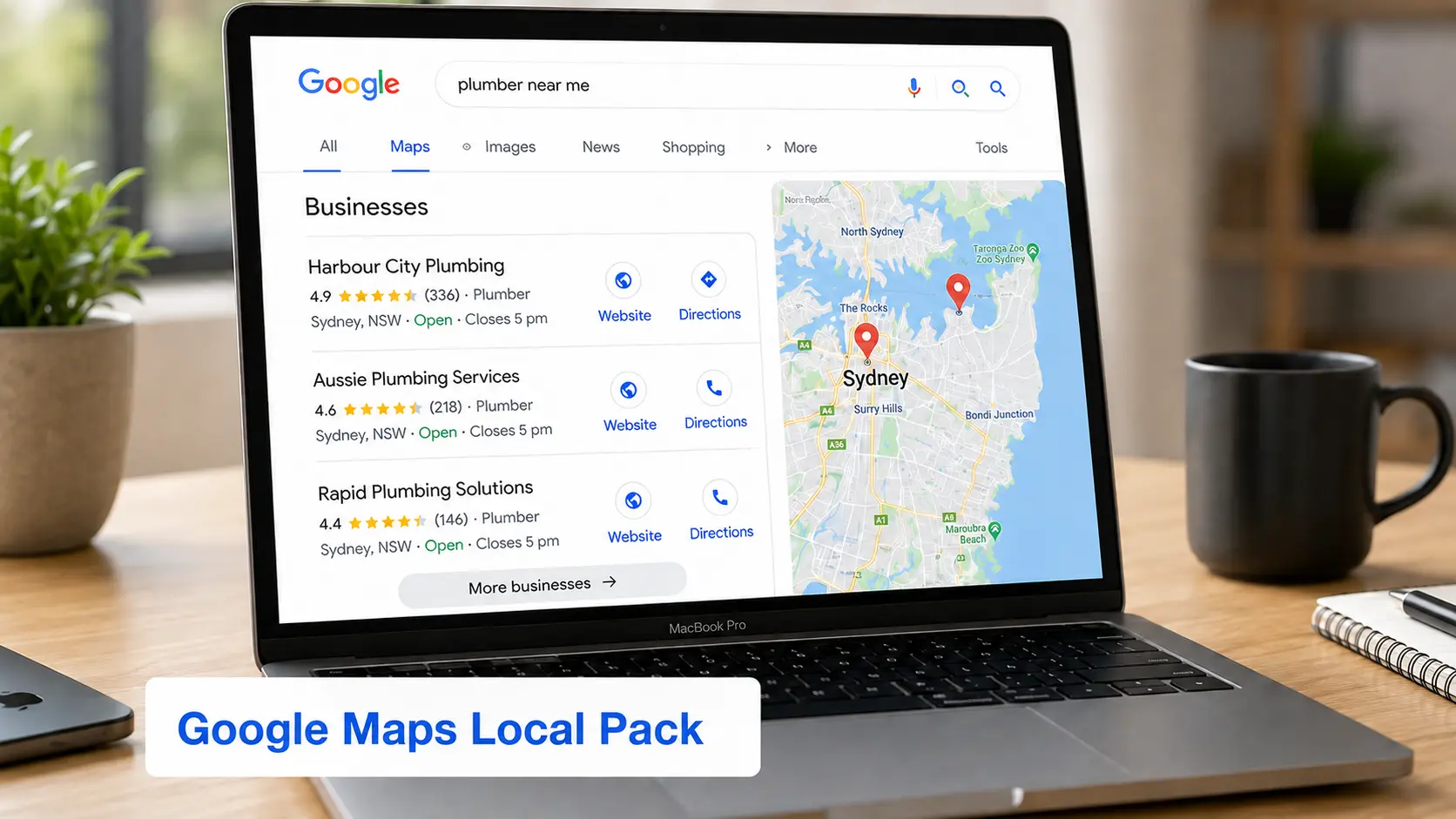
If you own a plumbing company in Sydney, a dental practice in Melbourne, a law firm in Brisbane, or a landscaping business in Perth, ranking higher on Google Maps can become one of your most consistent sources of new customers.
Think about how people search today.
Instead of browsing through multiple websites, most customers pull out their phone and search for things like:
plumber near me
dentist in Melbourne
family lawyer Sydney
electrician Brisbane
café near me
real estate agent Perth
In many cases, they don’t even reach the traditional organic search results.
Google displays the Local Pack, the map with three nearby businesses, at the top of the page, and that’s where most clicks, calls, and direction requests happen.
If your business appears there, you gain a significant advantage over competitors.
If it doesn’t, you’re likely missing out on customers who are ready to buy.
The encouraging news is that Google Maps rankings aren’t random. While Google’s exact algorithm isn’t public, the company has clearly explained the core principles behind local rankings, and years of Local SEO experience have revealed the practices that consistently improve visibility.
Whether you’re just creating your Google Business Profile or looking to outrank established competitors, this guide walks you through the complete process, from understanding how rankings work to optimizing your profile, website, reviews, and local authority.
By the end, you’ll have a practical roadmap for improving your visibility in Google Maps and attracting more qualified local customers.
Table of Contents
- Why Google Maps Matters in 2026
- What Is Google Maps SEO?
- Google’s Three Local Ranking Factors
- Why Competitors Rank Higher
- Google Business Profile Optimization
- Photos, Videos and Ongoing Optimization
- Google Posts
- Review Strategy
- Local Citations and NAP Consistency
- Website Optimization for Local Search
- Core Web Vitals
- Local Backlinks
- AI Search and Google AI Overviews
- Voice Search
- Common Google Maps SEO Mistakes
- 90-Day Action Plan
- Free Local SEO Tools
- Frequently Asked Questions
- Final Google Maps SEO Checklist
- Final Thoughts
Quick Answer
Want the short version?
To rank higher on Google Maps in Australia, start by fully optimizing your Google Business Profile, selecting the correct business categories, earning authentic customer reviews, maintaining consistent business information across the web, improving your website’s local SEO, publishing regular Google Posts, and building your business’s online authority through high-quality local backlinks and customer engagement.
Google evaluates hundreds of signals, but its local ranking system is built around three core factors: Relevance, Distance, and Prominence. Every optimization you make should strengthen one or more of these.
Why Google Maps Matters More Than Ever in 2026
Local search has evolved dramatically over the past few years.
Customers no longer spend hours researching businesses.
Instead, they expect Google to recommend the best option immediately.
Imagine these situations:
A homeowner discovers a burst pipe.
They search:
Emergency plumber near me
A family visiting Melbourne searches:
Best Italian restaurant nearby
Someone moving into a new suburb types:
Electrician in Brisbane
A patient searching for a new healthcare provider looks up:
Dentist in Sydney
In every one of these situations, Google understands that the user has local intent and prioritizes nearby businesses before displaying traditional organic results.
For businesses, this means your Google Business Profile often creates the first impression, not your website.
If your listing is complete, trusted, and relevant, you’re far more likely to receive:
Phone calls
Direction requests
Website visits
Appointment bookings
Walk-in customers
Qualified leads
Businesses that consistently invest in Local SEO are often rewarded with a steady stream of customers who are already close to making a purchasing decision.
Why Businesses Invest in Google Maps SEO
| Benefit | Business Impact |
|---|---|
| Higher Google Maps visibility | More people discover your business |
| More phone calls | More sales opportunities |
| More direction requests | Increased foot traffic |
| Better online reputation | Higher customer trust |
| More website visits | Increased lead generation |
| Higher conversion rates | Better marketing ROI |
| Stronger local brand recognition | Long-term business growth |
What Is Google Maps SEO?
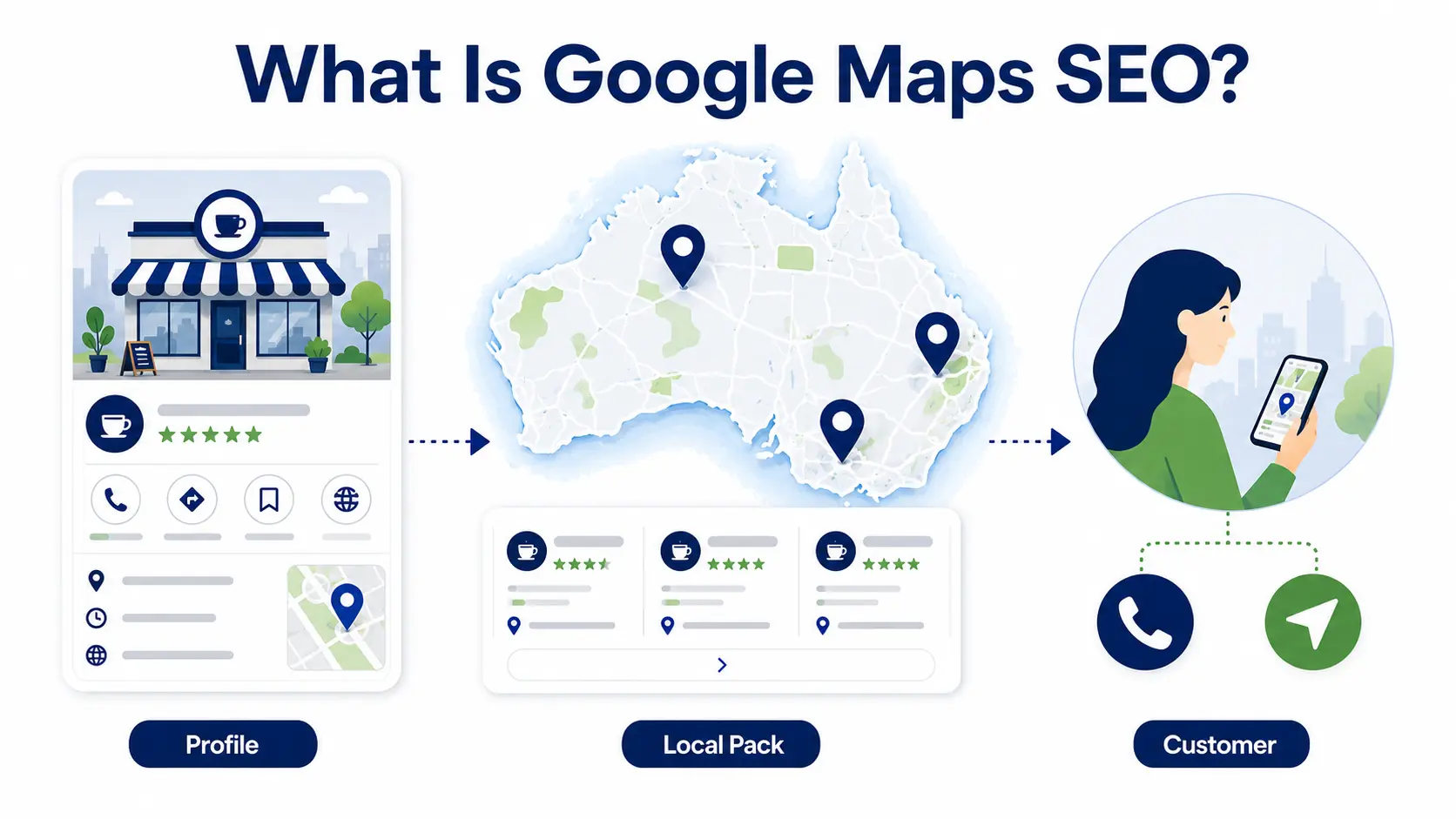
Google Maps SEO is the process of improving your business’s visibility in Google Maps and Google’s Local Pack by optimizing your Google Business Profile, website, online reputation, and local authority.
Unlike traditional SEO, which focuses on ranking web pages nationally or globally, Google Maps SEO helps businesses appear for searches made within a specific geographic area.
For example:
Traditional SEO
Best CRM Software
Businesses from anywhere in the world could appear.
Google Maps SEO
Best accountant in Sydney
Google wants to recommend businesses that are both relevant and close to the searcher.
This distinction is important.
Traditional SEO asks:
Which website best answers this question?
Google Maps SEO asks:
Which nearby business is most likely to help this customer right now?
That difference changes everything.
Google’s Three Official Local Ranking Factors
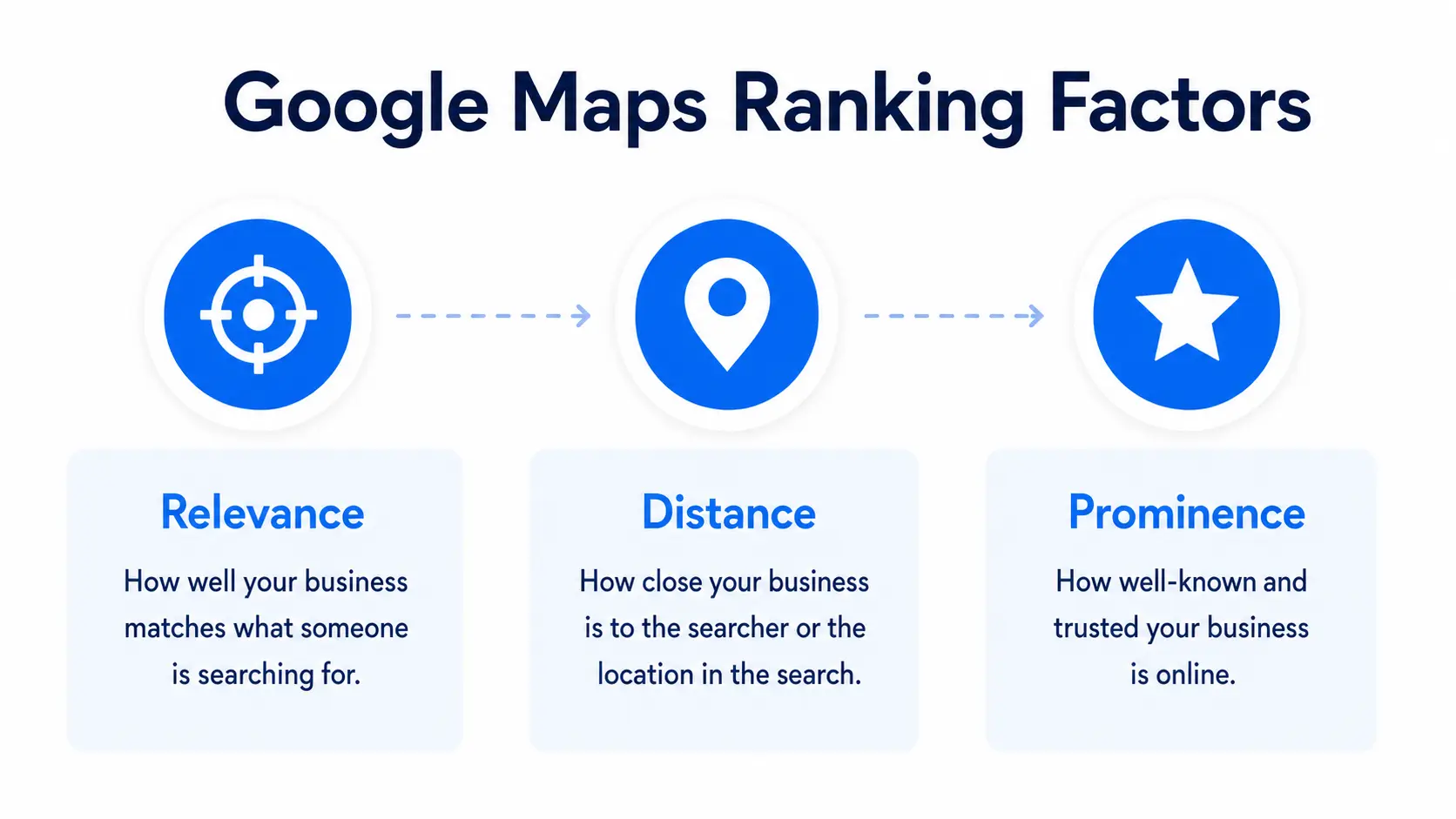
Although Google evaluates many signals, it publicly identifies three primary ranking factors:
Relevance
Distance
Prominence
Every Local SEO strategy should be built around improving these three areas.
Let’s examine each one.
1. Relevance
Relevance measures how closely your business matches what someone is searching for.
For example:
Someone searches:
Emergency electrician Sydney
Google will prioritize businesses that clearly communicate they provide emergency electrical services in Sydney.
You improve relevance by:
Selecting the correct primary category
Adding accurate secondary categories
Listing every service you offer
Writing a detailed business description
Publishing regular Google Posts
Keeping your business information complete and accurate
One mistake we frequently see during Local SEO audits is businesses choosing broad categories instead of the most specific one available.
For example, selecting Contractor instead of Electrician can make it harder for Google to understand exactly what services you provide.
The more clearly you define your business, the easier it becomes for Google to match you with relevant searches.
2. Distance
Distance refers to how close your business is to the searcher, or to the location included in their search.
For example:
Plumber in Melbourne
Family lawyer Sydney CBD
Dentist Parramatta
Accountant Brisbane
Distance isn’t something you can manipulate.
You can’t move your office every time someone searches from a different suburb.
However, you can improve how Google understands your service area by:
Verifying your correct business address
Defining legitimate service areas
Creating high-quality location pages
Serving customers consistently within those areas
Businesses that genuinely serve a location and clearly communicate that expertise often perform better than businesses attempting to rank everywhere.
3. Prominence
Prominence reflects how well-known and trustworthy your business appears online.
This is often the deciding factor when several businesses are equally relevant and similarly located.
Prominence is influenced by many signals, including:
Customer reviews
Review quality
Review frequency
Website authority
Local backlinks
Brand mentions
Local citations
Media coverage
Business longevity
Customer engagement
Overall online reputation
Prominence takes time to build, but it’s also one of the most sustainable competitive advantages in Local SEO.
A business that consistently earns positive reviews, publishes useful content, and maintains an active online presence is more likely to remain visible over the long term.
Can You Control These Ranking Factors?
| Ranking Factor | Can You Improve It? |
|---|---|
| Relevance | ✅ Yes |
| Distance | ❌ Mostly No |
| Prominence | ✅ Absolutely |
This is why successful Local SEO focuses on optimizing what you can control rather than trying to manipulate what you can’t.
Why Does My Competitor Rank Higher Than Me?
This is one of the most common questions we hear from business owners.
In most cases, the answer isn’t a single factor. It’s the combined strength of multiple signals.
Instead of guessing, perform a structured competitor audit.
Compare these areas:
| Factor | Your Business | Competitor |
|---|---|---|
| Primary Category | ☐ | ☐ |
| Secondary Categories | ☐ | ☐ |
| Review Count | ☐ | ☐ |
| Average Rating | ☐ | ☐ |
| Review Recency | ☐ | ☐ |
| Google Posts | ☐ | ☐ |
| Photos | ☐ | ☐ |
| Products & Services | ☐ | ☐ |
| Website Speed | ☐ | ☐ |
| Mobile Experience | ☐ | ☐ |
| Local Landing Pages | ☐ | ☐ |
| Backlinks | ☐ | ☐ |
| Local Citations | ☐ | ☐ |
| Schema Markup | ☐ | ☐ |
You don’t need to outperform every competitor in every category. Instead, look for the gaps where you can realistically improve.
For example, if a competing plumbing company has 300 reviews and you have 40, focus on building a sustainable review strategy rather than trying to replicate every aspect of their marketing.
Small, consistent improvements across multiple ranking signals often produce better long-term results than chasing quick wins.
Complete Google Business Profile Optimization Guide
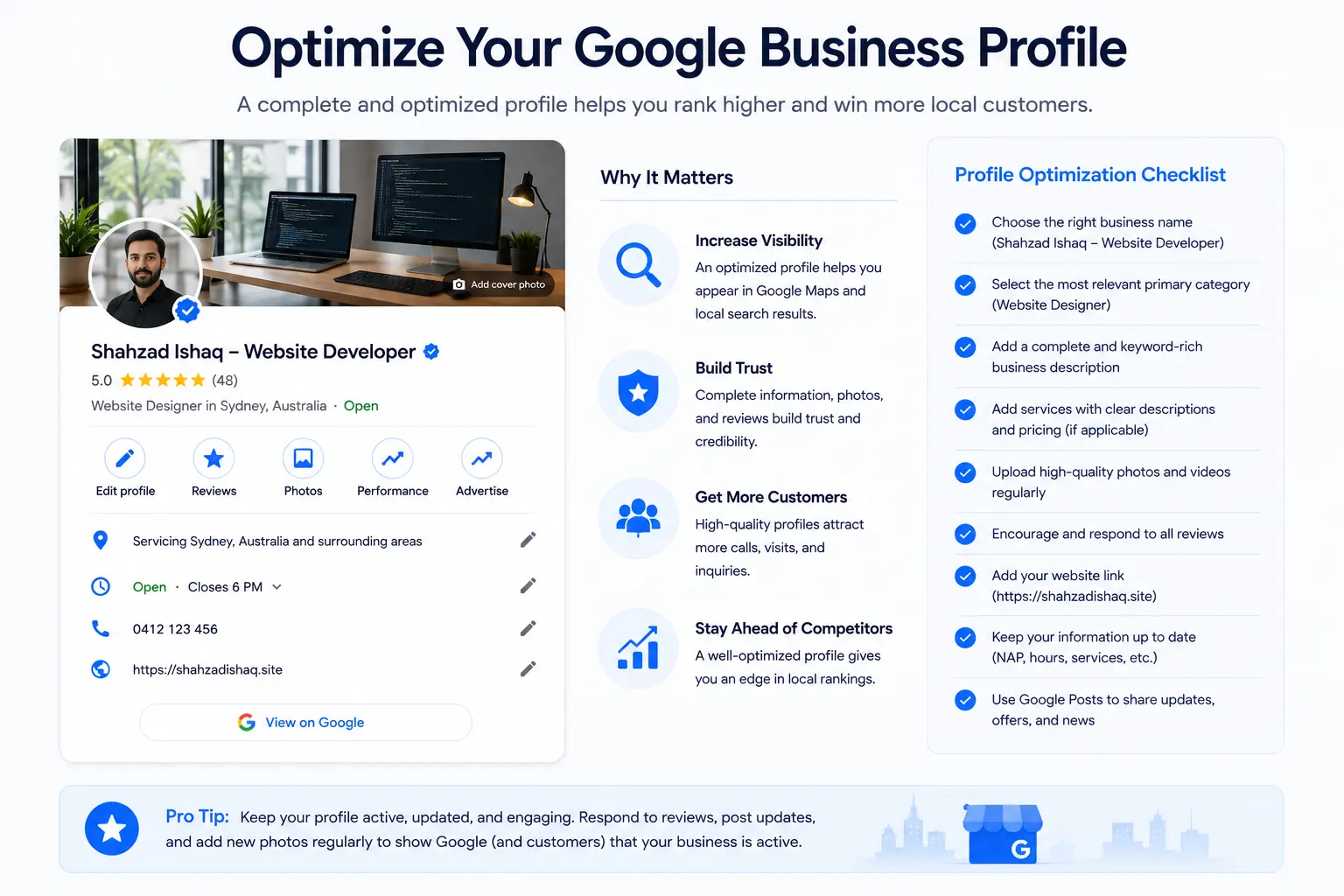
Your Google Business Profile (GBP) is the foundation of your Google Maps SEO strategy.
If your website is your digital office, your Google Business Profile is your digital storefront. For many customers, it’s the first, and sometimes only, interaction they’ll have with your business before deciding to call, visit, or request a quote.
Unfortunately, many Australian businesses treat their profile as something to set up once and forget. In our experience, this is one of the biggest reasons businesses struggle to compete in Google Maps.
The businesses that consistently rank well don’t necessarily have the oldest listings or the largest marketing budgets. They simply maintain more complete, accurate, and active profiles.
A fully optimized profile helps Google understand:
What your business does
Where you operate
Which services you provide
Who your ideal customers are
Why customers trust you
At the same time, it gives potential customers the information they need to confidently choose your business over a competitor.
Why Profile Completeness Matters
Google has never stated that a “100% complete” profile automatically ranks higher.
However, a complete profile offers two clear advantages:
Better Understanding for Google
Every completed field gives Google another signal about your business.
The more information Google has, the easier it is to match your business with relevant searches.
Better Experience for Customers
Customers can immediately find:
Business hours
Phone number
Website
Directions
Services
Photos
Reviews
FAQs
Booking options
Businesses with complete profiles often generate more engagement simply because customers can find answers without additional searching.
The Complete Google Business Profile Checklist
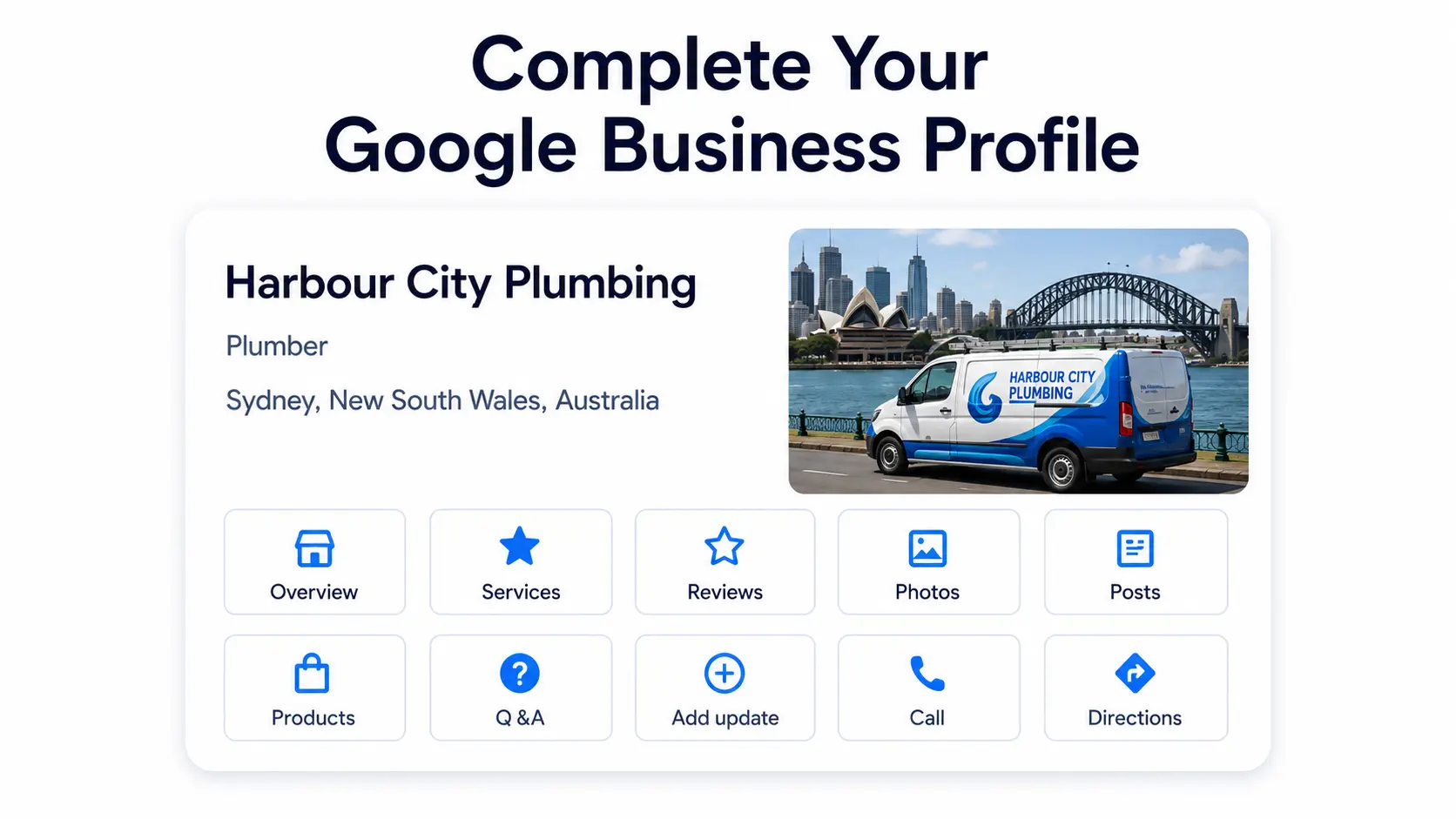
Before diving into each section, here’s a high-level checklist.
| Section | Complete? |
|---|---|
| Business Name | ☐ |
| Primary Category | ☐ |
| Secondary Categories | ☐ |
| Services | ☐ |
| Products | ☐ |
| Business Description | ☐ |
| Hours | ☐ |
| Holiday Hours | ☐ |
| Attributes | ☐ |
| Appointment Link | ☐ |
| Messaging | ☐ |
| Photos | ☐ |
| Videos | ☐ |
| Logo | ☐ |
| Cover Photo | ☐ |
| Opening Date | ☐ |
| Service Areas | ☐ |
| Questions & Answers | ☐ |
| Google Posts | ☐ |
If you can’t check every box, that’s where you should focus first.
Business Name
Your business name should always reflect your real-world branding.
That means the same name appearing on:
Your storefront
Your website
Your invoices
Your legal documents
Your social media profiles
Good Examples
Harbour City Plumbing
Melbourne Smile Dental
Apex Legal Group
Bad Examples
Harbour City Plumbing Sydney Emergency Plumber
Melbourne Best Dentist Cheap Implants
#1 SEO Agency Australia
Years ago, businesses often stuffed keywords into their business names to improve rankings.
While this occasionally produced short-term gains, it violates Google’s Business Profile guidelines and can result in profile edits or suspension.
The safest and most sustainable approach is simple:
Use your real business name.
Primary Category
Your primary category is arguably the most influential setting in your Google Business Profile.
It tells Google exactly what your business is.
For example:
| Business | Best Primary Category |
|---|---|
| Plumbing Company | Plumber |
| Dental Practice | Dentist |
| Family Law Firm | Law Firm |
| Café | Cafe |
| Real Estate Agency | Real Estate Agency |
| Electrician | Electrician |
Choosing a category that’s too broad or inaccurate can make it harder for Google to understand which searches your business should appear for.
A Common Mistake
A cosmetic dentist chooses:
Dental Clinic
instead of
Cosmetic Dentist
If cosmetic procedures are the primary focus of the practice, the more specific category may better reflect the business.
Before changing categories, compare your listing with the businesses currently ranking for your target keywords and ensure your choice accurately represents your primary service.
Secondary Categories
Most businesses offer more than one service.
Secondary categories help Google understand those additional offerings.
For example, a dental clinic might include:
Cosmetic Dentist
Pediatric Dentist
Emergency Dental Service
Dental Hygienist
Teeth Whitening Service
A plumbing business may include:
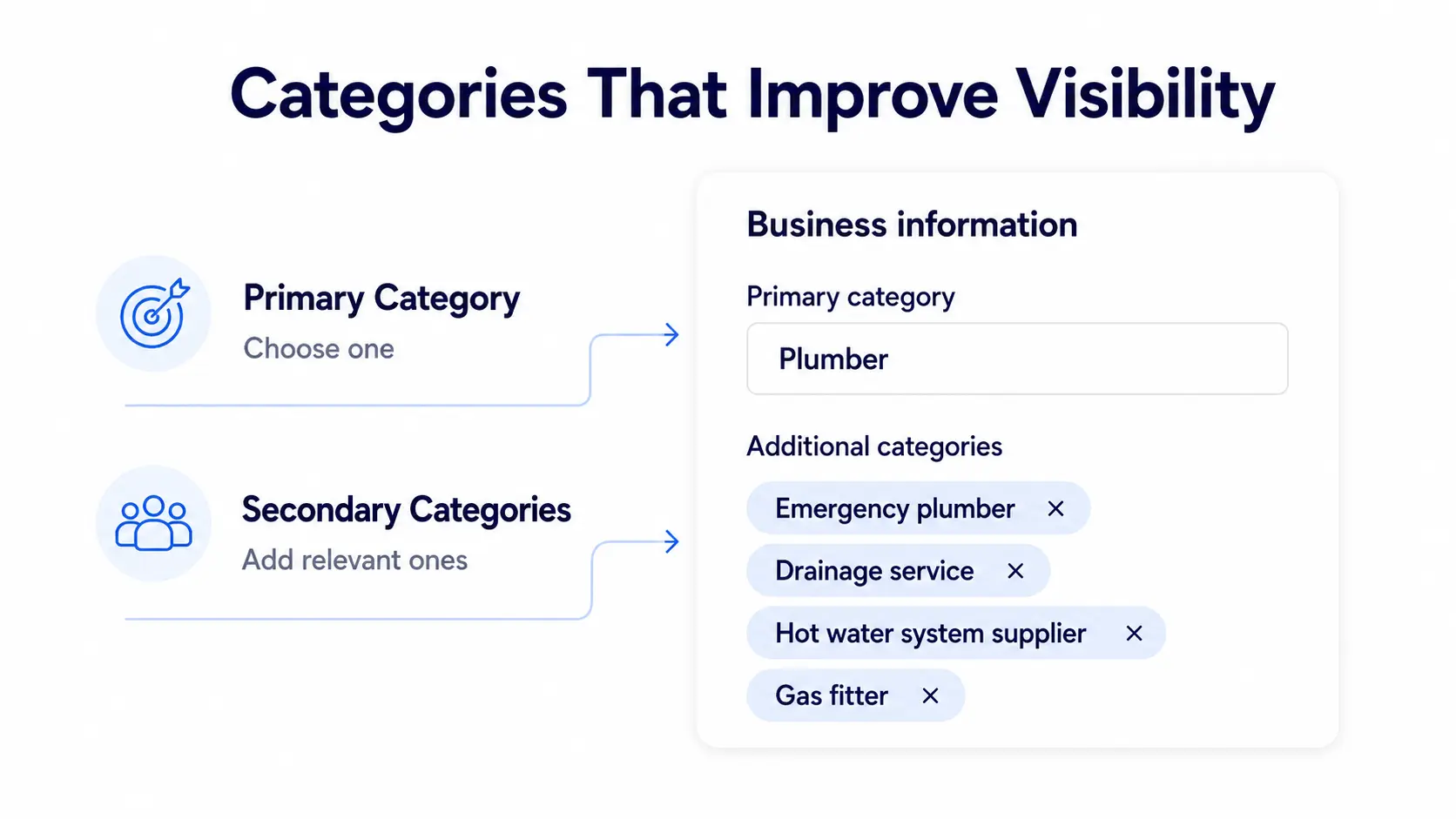
Drainage Service
Gasfitter
Hot Water System Supplier
Bathroom Remodeler
The goal isn’t to add every available category.
The goal is to accurately represent your business.
Only select categories that genuinely reflect the services you provide.
Services
One of the easiest ways to strengthen your profile is by listing every service you offer.
Many businesses only add a few broad services and leave significant opportunities on the table.
Instead of:
Plumbing
Break it down into:
Emergency Plumbing
Leak Detection
Pipe Repairs
Drain Cleaning
Hot Water System Installation
Gas Plumbing
Bathroom Renovations
Blocked Drains
Commercial Plumbing
Roof Plumbing
The same applies to every industry.
A legal practice shouldn’t simply list “Legal Services.”
Instead:
Family Law
Divorce Lawyer
Property Settlement
Child Custody
Mediation
Estate Planning
The more accurately you describe your services, the easier it becomes for Google to match your business with highly specific local searches.
Products
Many service businesses ignore the Products section because they assume it’s only for retailers.
That’s a missed opportunity.
Google allows service businesses to showcase individual offerings as “products,” complete with descriptions, images, and optional pricing.
For example, a digital marketing agency could create products such as:
Local SEO Package
Google Ads Management
Website Design
SEO Audit
Google Business Profile Optimization
Each product becomes another opportunity to explain your services and encourage customer engagement.
Business Description
Your business description isn’t just about keywords. It’s your opportunity to introduce your company to potential customers.
Google gives you limited space, so make every sentence count.
A strong description should answer four questions:
What does your business do?
Who do you serve?
Where do you operate?
What makes you different?
Example
Harbour City Plumbing provides residential and commercial plumbing services throughout Sydney. Our licensed plumbers specialize in emergency repairs, blocked drains, hot water systems, leak detection, and bathroom renovations. We pride ourselves on fast response times, transparent pricing, and reliable workmanship.
Notice that the description:
Sounds natural
Clearly explains services
Mentions the service area
Highlights customer benefits
Avoids repetitive keyword stuffing
Google wants descriptions written for people, not search engines.
Business Hours
Accurate hours are more important than many businesses realize.
Nothing damages trust faster than a customer arriving at your location only to discover you’re closed.
Regularly update:
Opening hours
Weekend schedules
Seasonal changes
Public holiday hours
Keeping this information current improves the customer experience and reduces frustration.
Holiday Hours
Public holidays are especially important in Australia.
Examples include:
Australia Day
Good Friday
Easter Monday
ANZAC Day
King’s Birthday (where applicable)
Labour Day
Christmas Day
Boxing Day
New Year’s Day
If your hours change during these periods, update them in advance to avoid confusing customers.
Attributes
Attributes provide additional information that customers often care about before visiting.
Depending on your business category, available attributes may include:
Wheelchair accessible entrance
Wheelchair accessible parking
Women-owned
LGBTQ+ friendly
Free Wi-Fi
Outdoor seating
Online appointments
On-site services
Curbside pickup
Delivery available
Accepts credit cards
Choose every attribute that genuinely applies to your business. They can improve the customer experience by helping people quickly determine whether your business meets their needs.
Expert Tip
One pattern we’ve noticed while auditing local businesses is that many owners focus almost entirely on keywords and overlook completeness. In reality, customers often make decisions based on practical details like business hours, photos, services, and accessibility. A complete, well-maintained profile doesn’t just help Google understand your business. It also helps potential customers feel confident enough to contact you.
Photos, Videos & Ongoing Google Business Profile Optimization
Completing your Google Business Profile is only the beginning.
The businesses that consistently rank well don’t just have complete profiles. They actively maintain them.
Think of your Google Business Profile like your website.
You wouldn’t redesign your website once and ignore it for five years.
The same principle applies here.
Google wants to recommend businesses that appear active, trustworthy, and well maintained.
Regularly updating your profile with new photos, posts, reviews, and business information sends strong engagement signals while also improving the customer experience.
Upload High-Quality Photos
Photos are one of the most overlooked features inside Google Business Profile.
When customers compare two similar businesses, visuals often influence which one they contact first.
Imagine searching for:
Kitchen Renovation Sydney
Business A has:
6 blurry photos
Last upload 18 months ago
Business B has:
120 professional images
Updated every month
Team photos
Before & after projects
Vehicles
Office
Staff
Completed jobs
Which business would you trust?
Most people choose Business B.
What Photos Should You Upload?
Here’s a simple content plan.
| Photo Type | Why It Matters |
|---|---|
| Storefront | Helps customers recognize your business |
| Office Interior | Builds familiarity before visits |
| Team Members | Humanizes your brand |
| Staff at Work | Demonstrates professionalism |
| Company Vehicles | Reinforces branding |
| Equipment | Shows capability |
| Products | Helps customers understand what you offer |
| Completed Projects | Builds credibility |
| Before & After | Excellent for service businesses |
| Happy Customers (with permission) | Adds social proof |
Recommended Upload Schedule
Instead of uploading 100 photos once, spread them throughout the year.
| Content | Frequency |
|---|---|
| New Business Photos | Weekly or Biweekly |
| Team Photos | Monthly |
| Project Photos | Weekly |
| Product Photos | Monthly |
| Office Updates | Quarterly |
| Seasonal Images | As needed |
Consistency is more valuable than volume.
Avoid These Photo Mistakes
❌ Stock photos
❌ AI-generated people pretending to be staff
❌ Blurry images
❌ Images with excessive promotional text
❌ Watermarks
❌ Old branding
❌ Low-resolution images
Videos
Videos remain underused by many local businesses.
Even simple videos can increase engagement because they provide a better sense of your business.
Consider creating short videos such as:
Meet the team
Office walkthrough
Before & after transformations
Product demonstrations
Service process
Customer testimonials
Frequently asked questions
Keep them:
Under 60 seconds where practical
Well lit
Stable
Authentic
Professionally presented
You don’t need cinematic production quality.
Clear, genuine videos often perform best.
Logo
Your logo should remain consistent across every platform.
That includes:
Website
Google Business Profile
Facebook
LinkedIn
Instagram
Business directories
Consistency strengthens brand recognition and reduces confusion.
Use:
Square format
High resolution
Transparent background when possible
Cover Photo
Your cover photo creates the first impression.
Choose something that immediately communicates what your business does.
Examples:
Dentist
Modern treatment room
Restaurant
Signature dish
Real Estate Agency
Professional team outside the office
Landscaper
Completed premium outdoor project
Electrician
Technician working safely on-site
Avoid generic stock photography.
Real businesses outperform generic marketing images.
Appointment Links
If customers can book online, add an appointment link.
Examples:
Dental consultation
Legal consultation
Property appraisal
Hair appointment
Physiotherapy booking
Reducing friction often improves conversion rates.
The fewer clicks between discovery and booking, the better.
Enable Messaging
Google allows many businesses to receive messages directly through their Business Profile.
Common customer questions include:
Pricing
Availability
Service areas
Business hours
Booking information
If you enable messaging:
Respond quickly.
Slow responses create a poor customer experience.
If you can’t consistently monitor messages, it’s better to disable the feature than leave inquiries unanswered.
Questions & Answers (Q&A)
Many businesses ignore the Q&A section.
That’s a mistake.
Customers often ask practical questions such as:
Do you offer emergency service?
Is parking available?
Do I need an appointment?
Which suburbs do you service?
Do you offer same-day repairs?
Answer these questions clearly and professionally.
If you notice customers repeatedly asking the same thing, consider adding that information to your website as well.
Google Posts
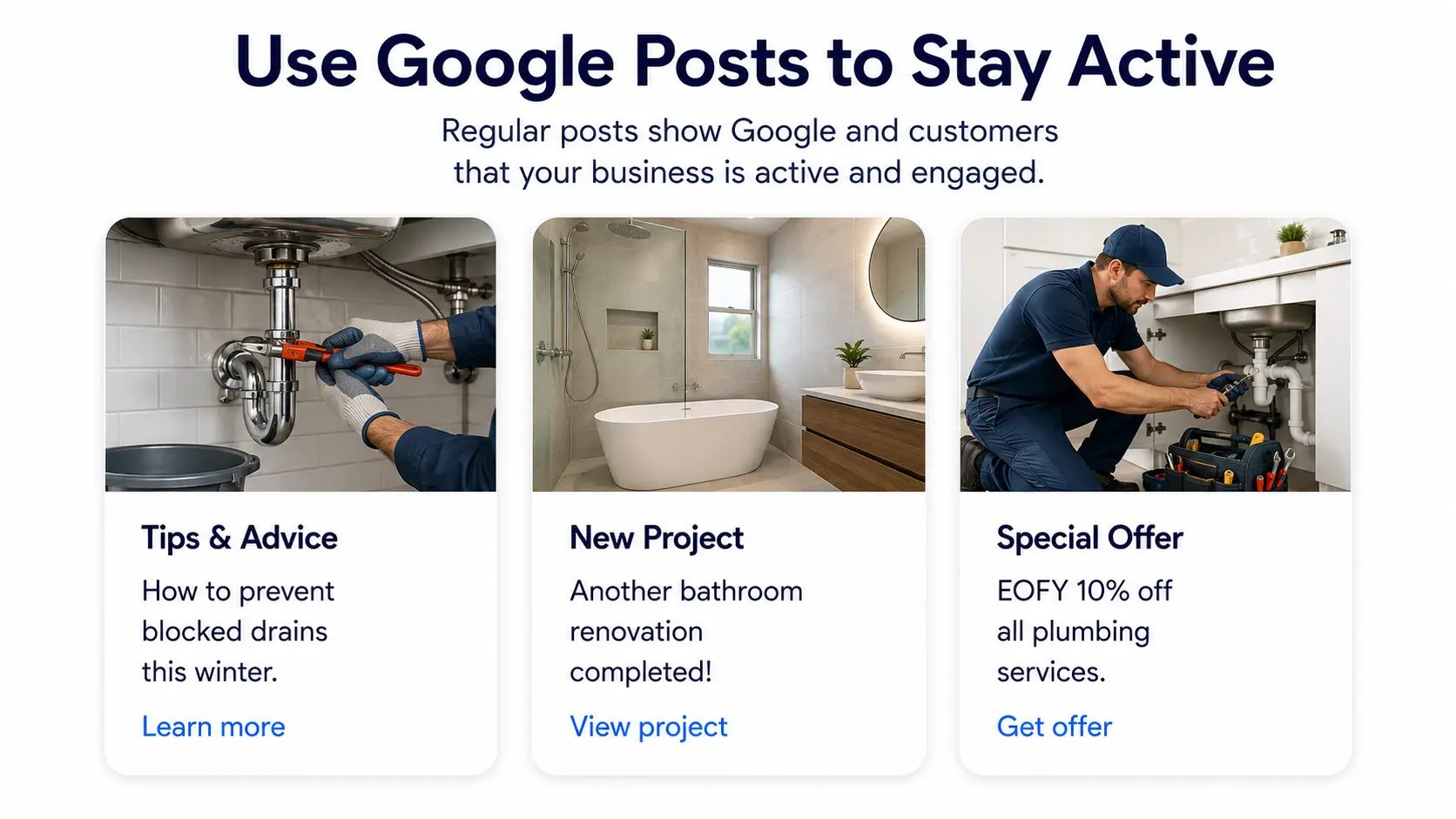
Google Posts function like mini blog posts inside your Business Profile.
They don’t replace your website, but they help demonstrate that your business is active.
What Should You Post?
A simple monthly content calendar might look like this:
| Week | Post Type | Example |
|---|---|---|
| Week 1 | Educational tip | How to prevent blocked drains this winter. |
| Week 2 | Completed project | Show before-and-after images. |
| Week 3 | Customer success story | Highlight a positive outcome without sharing sensitive information. |
| Week 4 | Promotion or seasonal update | EOFY special, holiday hours, or a new service launch. |
How Often Should You Post?
A realistic schedule is:
One quality post every week.
Consistency matters more than quantity.
Review Strategy
If Google Business Profile optimization is the foundation of Google Maps SEO, reviews are one of its strongest trust signals.
Google wants to recommend businesses that customers genuinely value.
Reviews help answer an important question:
“Can people trust this business?”
While Google doesn’t disclose exactly how reviews influence rankings, they contribute to your business’s prominence and heavily influence customer decisions.
Build a Review System, Not a Review Campaign
One of the biggest mistakes we see is businesses asking for reviews only when they remember.
Instead, create a repeatable process.
For example:
Customer receives service
↓
Job completed
↓
Customer confirms satisfaction
↓
Review request sent via SMS or email
↓
Staff follows up if appropriate
↓
Owner responds to every review
This approach creates steady review growth rather than occasional spikes.
When Should You Ask?
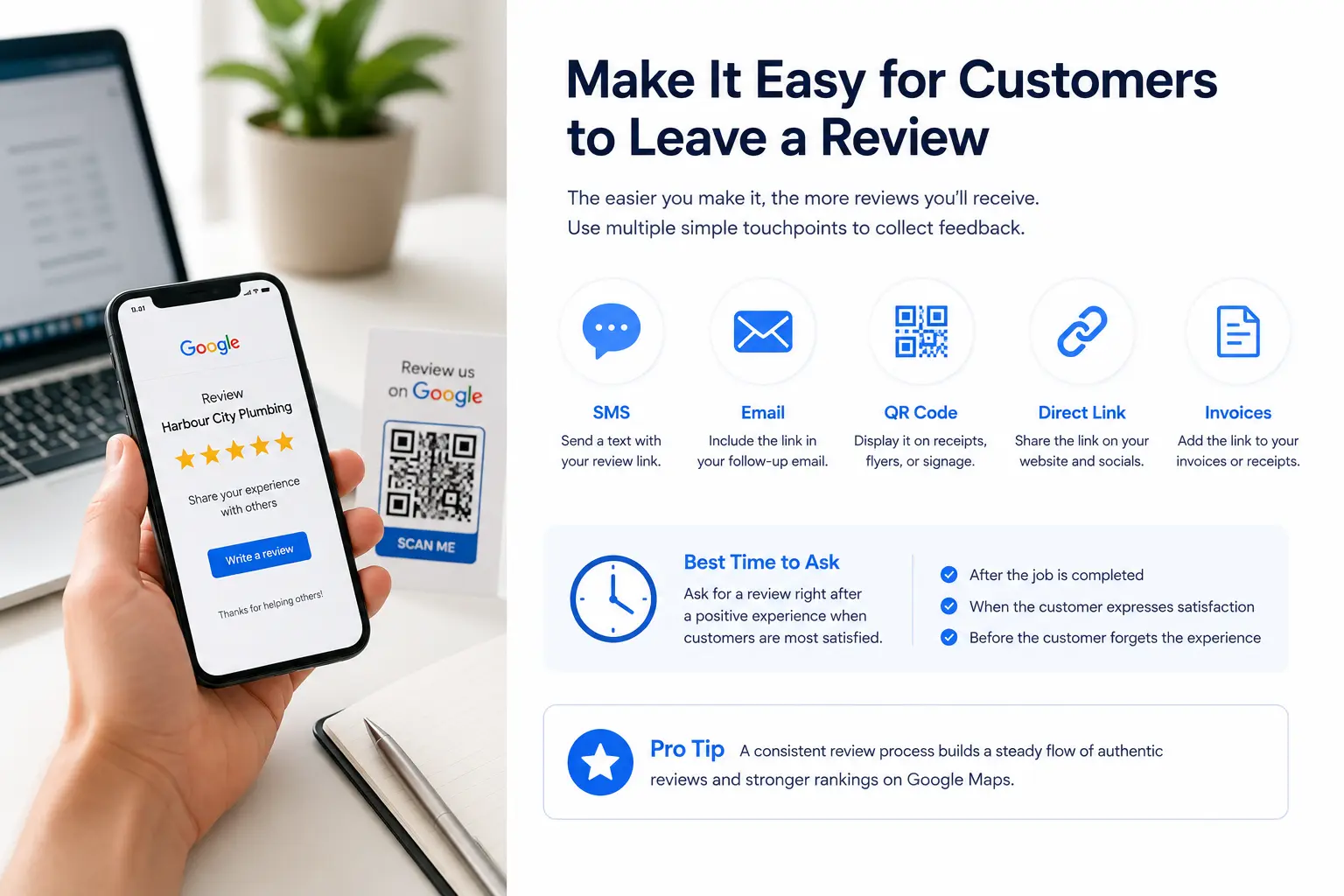
The best time is immediately after a positive experience.
Examples:
Completed plumbing repair
Finished dental appointment
Successful legal consultation
Property settlement
Restaurant meal
Home cleaning service
Customers are far more likely to leave feedback while the experience is still fresh.
Make Leaving a Review Easy
Don’t ask customers to search for your business.
Instead, provide:
Your direct Google review link
QR code
SMS link
Email link
Invoice footer
Thank-you page
Every extra step reduces the likelihood of receiving a review.
Never Do These Things
Avoid shortcuts that violate Google’s policies.
❌ Buy reviews
❌ Offer money for five-star ratings
❌ Ask employees to leave reviews
❌ Create fake customer accounts
❌ Review your own business
❌ Pressure unhappy customers into changing reviews
Authenticity always wins in the long run.
How to Respond to Reviews
Responding isn’t just good customer service.
It also demonstrates that your business is engaged and values customer feedback.
Positive Review
Thank you for taking the time to leave such thoughtful feedback. We’re delighted you had a great experience and appreciate your recommendation. We look forward to helping you again.
Negative Review
Thank you for sharing your feedback. We’re sorry your experience didn’t meet expectations. We’d appreciate the opportunity to learn more and see how we can make things right. Please contact us directly so we can assist.
Never argue publicly.
Future customers are reading your responses just as carefully as the original review.
Build Consistent Local Citations
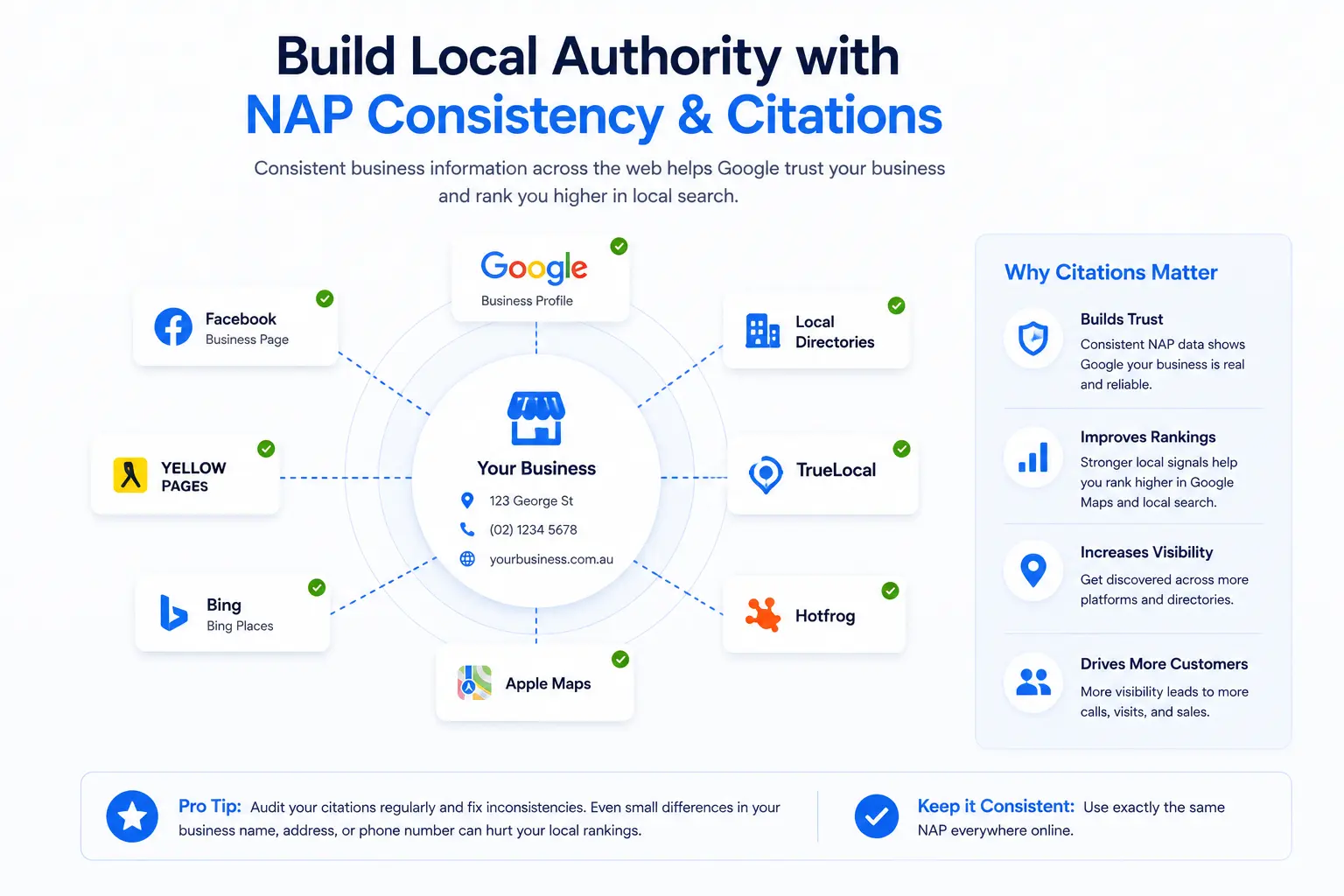
A local citation is any online mention of your business’s:
Business name
Address
Phone number
This information is commonly referred to as your NAP.
Many citations also include:
Website URL
Business hours
Categories
Photos
Business description
Google compares this information across the web, and its guidelines for representing your business set out how those details should be presented.
If your business details are consistent everywhere, Google has greater confidence that the information is accurate.
If your business appears with different phone numbers, outdated addresses, or inconsistent business names, that confidence decreases.
What Does a Citation Look Like?
For example:
Business Name
Harbour City Plumbing
Address
123 George Street, Sydney NSW 2000
Phone
(02) 1234 5678
Website
www.example.com
That same information should appear consistently wherever your business is listed online.
Why NAP Consistency Matters
Imagine Google finds these three versions of your business.
| Directory | Phone Number |
|---|---|
| Website | (02) 1234 5678 |
| Directory A | (02) 8765 4321 |
| Directory B | Mobile only |
| Old office address |
Which one should Google trust?
This is why consistency matters.
Whenever your business changes address, phone number, or trading name, update every major directory, not just your website and Google Business Profile.
Australian Business Directories Worth Listing In
You don’t need hundreds of directory listings.
Focus on high-quality, reputable directories that customers actually use.
Some examples include:
| Directory | Why It’s Valuable |
|---|---|
| Google Business Profile | The foundation of Local SEO |
| Apple Business Connect | Improves visibility on Apple Maps |
| Bing Places | Expands search visibility beyond Google |
| Yellow Pages Australia | Long-established business directory |
| True Local | Popular Australian local directory |
| Hotfrog Australia | Industry-specific visibility |
| Yelp | Useful for many local businesses |
| Local Chamber of Commerce | Builds local trust and authority |
| Relevant Industry Associations | Reinforces expertise and credibility |
Quality always outweighs quantity.
Submitting your business to hundreds of low-quality directories rarely provides meaningful value and can create unnecessary maintenance work.
Citation Audit Checklist
Review your online listings every few months.
Check that every listing contains the correct:
☐ Business name
☐ Address
☐ Phone number
☐ Website URL
☐ Business hours
☐ Categories
☐ Logo
☐ Photos
☐ Description
☐ Social media links
Even small inconsistencies can accumulate over time, especially after a business relocates or changes contact details.
Optimize Your Website for Local Search
A common misconception is that Google Maps rankings depend only on your Google Business Profile.
In reality, your website plays a significant role in supporting your local visibility.
Google frequently visits your website to better understand:
What you do
Where you operate
Which services you provide
How trustworthy your business appears
An outdated or poorly optimized website can limit the effectiveness of an otherwise excellent Google Business Profile. If you are not sure where yours stands, this WordPress technical SEO checklist is a practical place to start.
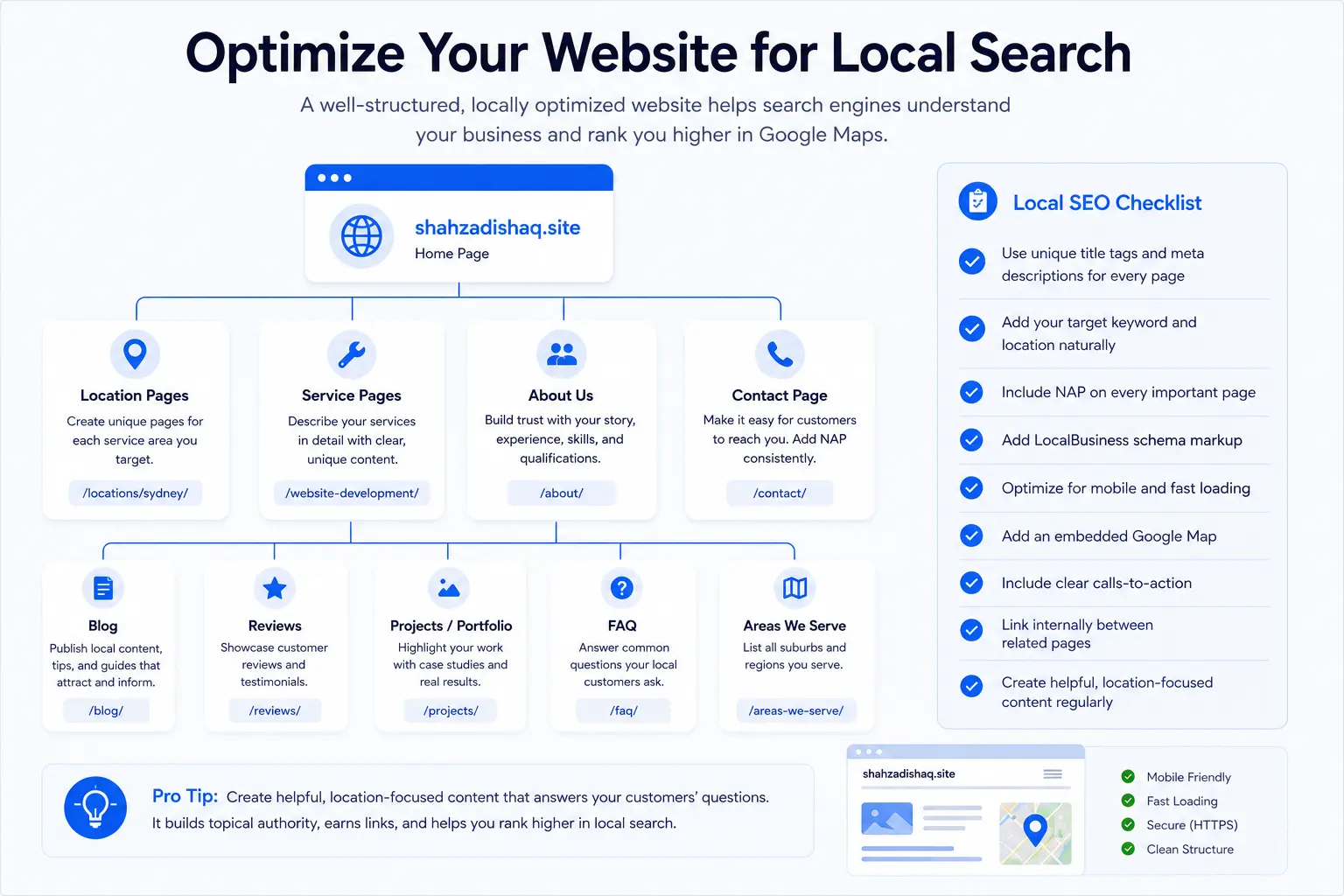
Create Dedicated Service Pages
Many businesses try to rank every service from a single page.
For example:
ServicesThat page briefly mentions:
Plumbing
Gas fitting
Hot water
Drain cleaning
Renovations
Leak detection
Instead, create dedicated pages for each major service.
Example:
/emergency-plumber/

/blocked-drains/

/hot-water-systems/

/gas-plumbing/

/pipe-repairs/
Dedicated pages allow you to provide detailed information about each service, making it easier for both customers and search engines to understand your expertise.
Create Location Pages (When Appropriate)
If your business genuinely serves multiple cities or suburbs, create dedicated location pages.
For example:
/plumber-sydney/

/plumber-parramatta/

/plumber-blacktown/

/plumber-bondi/
Each page should contain unique, valuable information specific to that location.
Avoid copying the same content and simply replacing suburb names.
Instead, include:
Local service information
Typical customer needs
Areas covered
Nearby landmarks (where relevant)
Testimonials from local customers
Recent projects completed in that area
Google rewards useful local content, not duplicate pages.
Use LocalBusiness Schema Markup
Schema markup helps search engines understand your website more accurately.
For local businesses, LocalBusiness schema can communicate information such as:
Business name
Address
Phone number
Business hours
Website
Geographic coordinates
Services
Reviews
Social profiles
This structured data doesn’t guarantee higher rankings, but it can improve Google’s understanding of your business and support richer search results.
If you’re using WordPress, many SEO plugins can generate LocalBusiness schema automatically, though it’s still worth validating that the information is accurate.
Embed Your Google Map
Embedding your Google Map on your Contact page helps visitors quickly find your location.
A well-structured Contact page should typically include:
Embedded Google Map
Business address
Phone number
Email address
Business hours
Contact form
Parking information (if relevant)
Public transport directions (where helpful)
This creates a better user experience and reinforces your local presence.
Improve Core Web Vitals
Google wants to recommend businesses that provide a positive experience, not only in Maps but also on their websites.
A slow website can frustrate users and increase the likelihood that they’ll leave before contacting you.
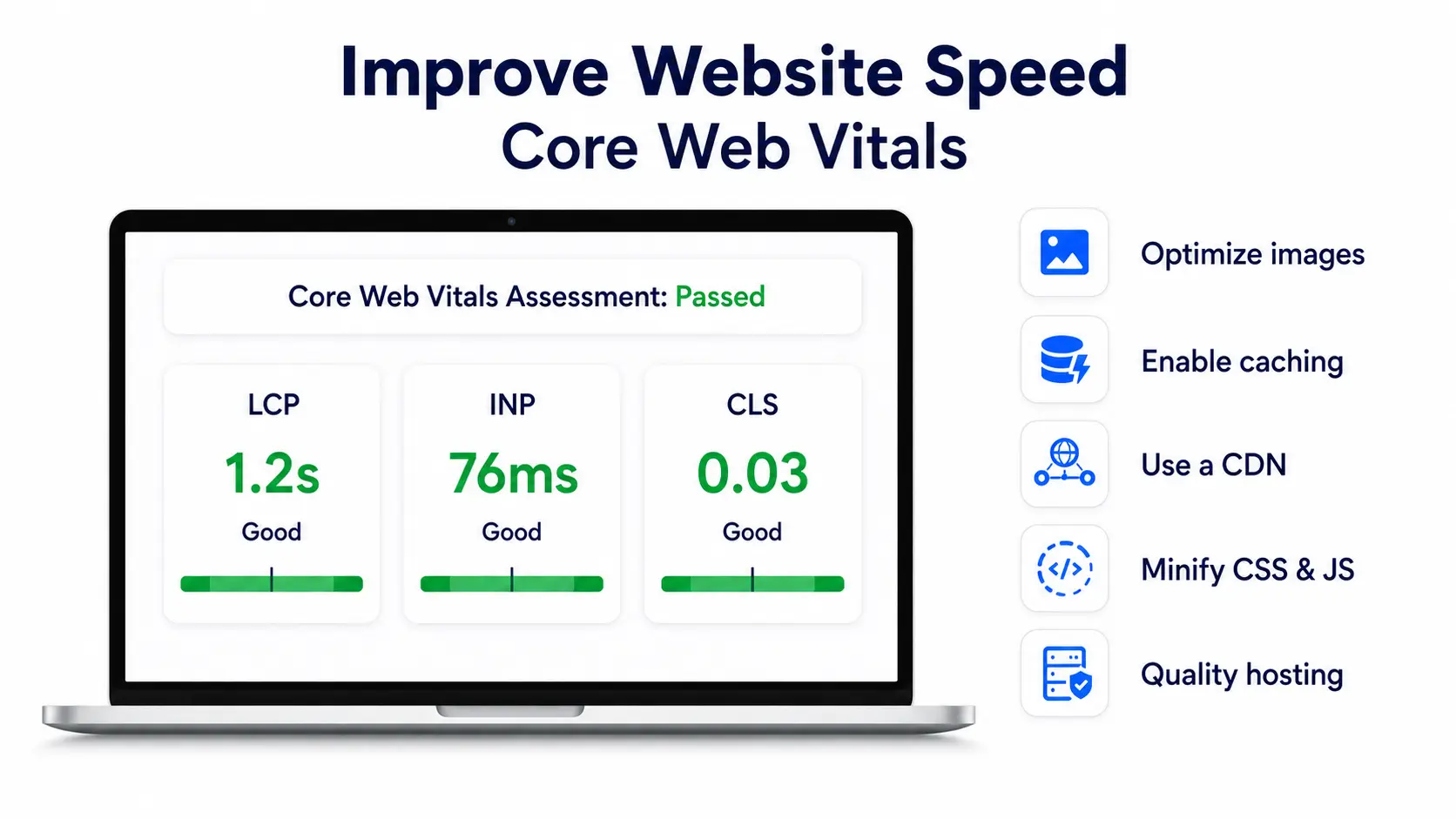
Focus on improving:
Largest Contentful Paint (LCP)
How quickly the main content loads.
Interaction to Next Paint (INP)
How responsive your website feels when users interact with it.
Cumulative Layout Shift (CLS)
Whether elements unexpectedly move while the page is loading.
Improving these metrics won’t automatically place you at the top of Google Maps, but they contribute to a stronger overall website experience. If your site runs on WordPress, this guide to improving Core Web Vitals in WordPress covers the practical fixes for each metric.
Simple Ways to Improve Website Speed
Compress and resize images
Convert images to WebP
Enable browser caching
Use a content delivery network (CDN)
Minify CSS and JavaScript
Remove unused plugins
Choose quality hosting
Optimize your database
Load fonts efficiently
Even a one-second improvement in load time can positively affect user engagement.
Build Local Backlinks
Backlinks remain one of the strongest signals of website authority.
However, for Local SEO, relevance matters more than sheer quantity.
A single backlink from a respected local organization can be more valuable than dozens of unrelated links.
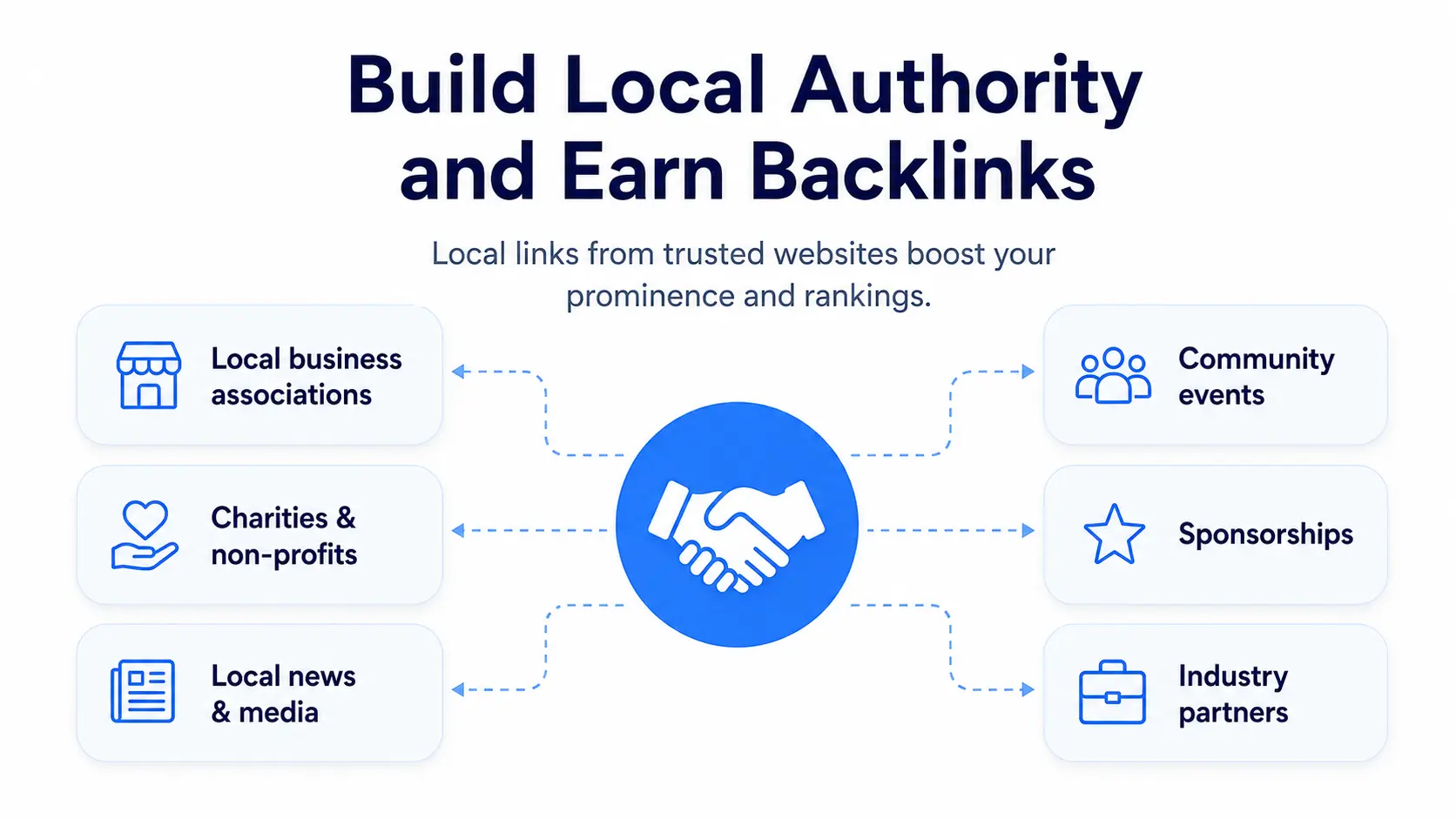
Look for opportunities such as:
Local business associations
Chambers of Commerce
Industry organizations
Local charities
Community events
Sponsorships
Local newspapers
Business partnerships
Universities and educational institutions
Industry blogs
Focus on building genuine relationships within your community rather than chasing links solely for SEO purposes.
Optimize for AI Search and Google AI Overviews
Search is changing rapidly.
Instead of simply displaying a list of links, Google increasingly provides AI-generated summaries that answer questions directly. Other AI platforms, including ChatGPT, Gemini, Claude, and Perplexity, are also helping users discover businesses and services.
Although these systems work differently, they all rely on one common principle:
They favor businesses with clear, trustworthy, and well-structured information.
To improve your visibility across both traditional search and AI-powered search experiences:
Publish in-depth service pages.
Answer common customer questions clearly.
Use descriptive headings (H2s and H3s).
Add FAQ sections where appropriate.
Keep business information accurate across every platform.
Demonstrate expertise through helpful educational content.
Earn mentions from reputable websites and organizations.
Rather than writing only for search engines, write content that genuinely helps people make informed decisions.
Optimize for Voice Search
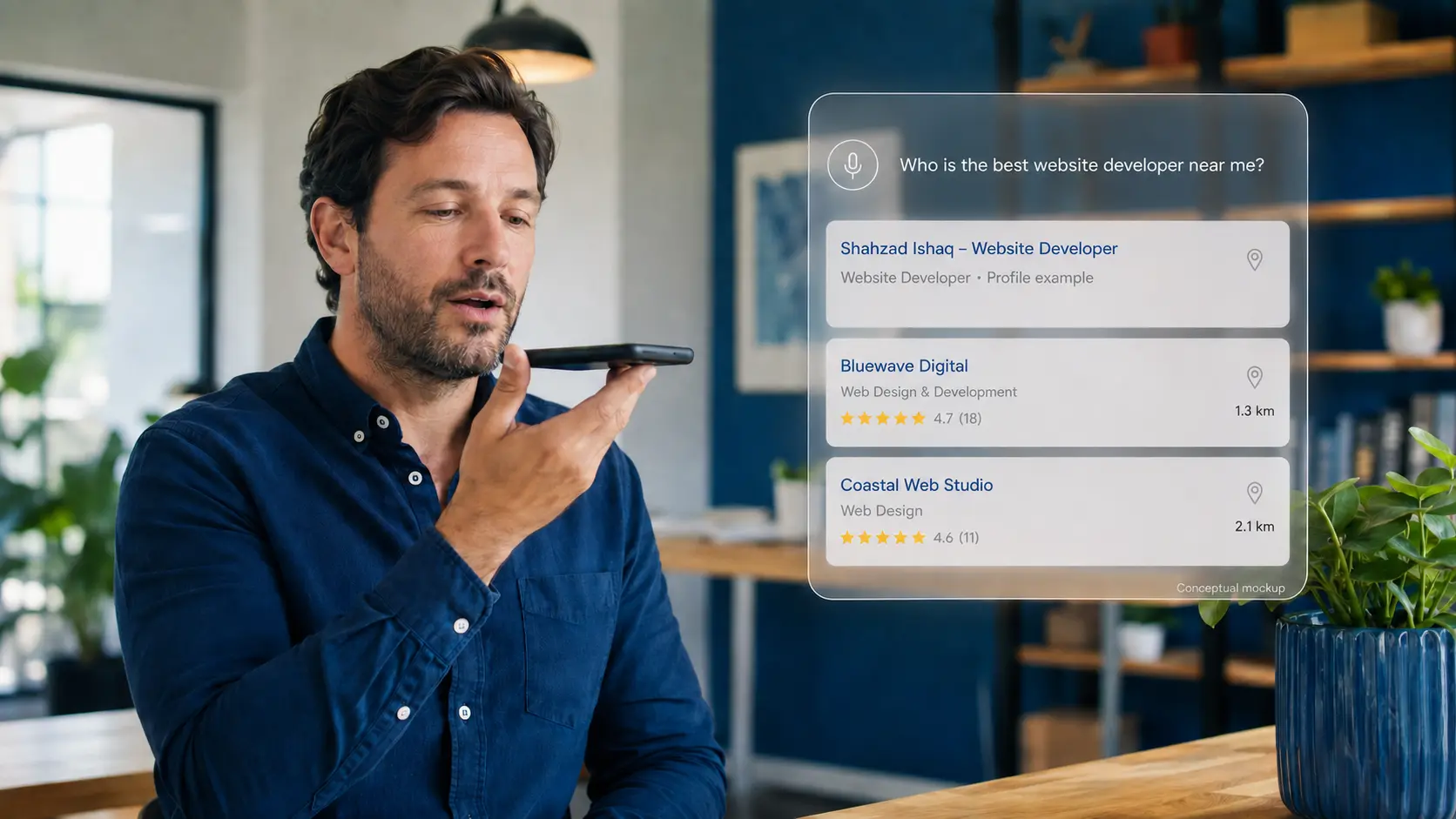
Voice searches are often longer and more conversational than typed searches.
For example, instead of typing:
plumber Sydney
Someone might ask:
Who’s the best emergency plumber near me that’s open now?
Or:
Which dentist in Melbourne has great reviews?
To better match these searches:
Answer questions naturally.
Include FAQ sections.
Use conversational language.
Keep your business hours accurate.
Clearly define your service areas.
Ensure your website performs well on mobile devices.
Many voice searches also have immediate purchase intent, making them especially valuable for local businesses.
Common Google Maps SEO Mistakes
Many businesses don’t struggle because they’re doing too little. They struggle because they’re focusing on the wrong things.
Avoid these common mistakes.
| Mistake | Better Approach |
|---|---|
| Keyword stuffing your business name | Use your real business name |
| Buying fake reviews | Earn authentic customer feedback |
| Ignoring negative reviews | Respond professionally and constructively |
| Uploading only a few photos | Add fresh, high-quality images regularly |
| Inconsistent business information | Keep NAP details consistent everywhere |
| Creating duplicate location pages | Publish unique, helpful local content |
| Neglecting your website | Maintain both your website and Business Profile |
| Treating SEO as a one-time project | Make Local SEO part of your ongoing marketing |
Local SEO isn’t about finding shortcuts. It’s about building long-term trust.
Your 90-Day Google Maps SEO Action Plan
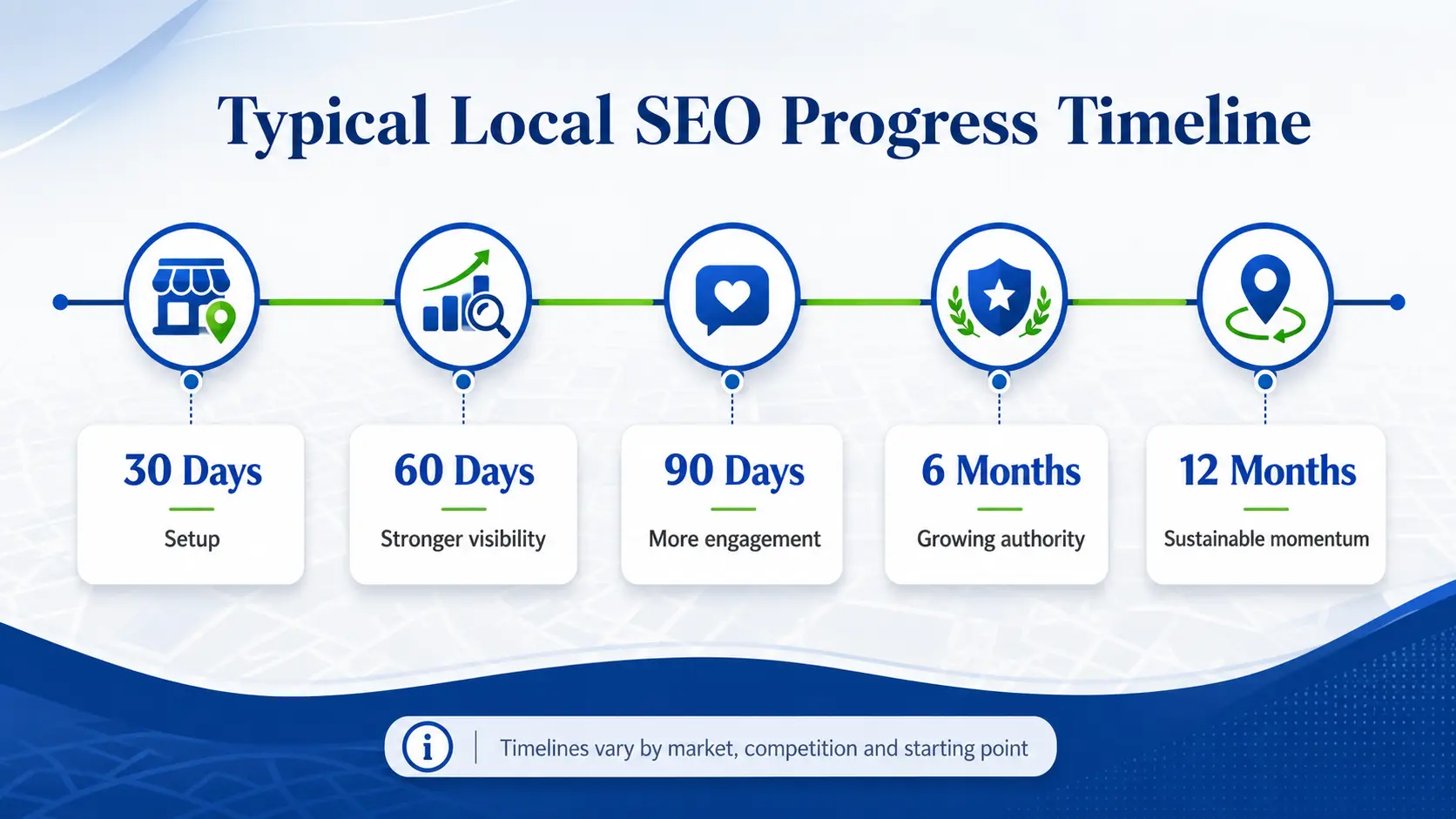
If you’re wondering where to start, follow this simple roadmap.
Days 1–30: Build a Strong Foundation
Claim or verify your Google Business Profile.
Complete every profile section.
Choose the correct primary and secondary categories.
Add services and products.
Upload professional photos.
Update business hours.
Add your appointment or booking link.
Review and correct your NAP information across major directories.
Days 31–60: Strengthen Authority
Ask satisfied customers for reviews.
Respond to every new review.
Publish weekly Google Posts.
Create dedicated service pages.
Improve Core Web Vitals.
Add LocalBusiness schema markup.
Build citations on reputable Australian directories.
Days 61–90: Expand Your Local Presence
Create location pages for genuine service areas.
Earn backlinks from local organizations.
Publish educational blog content.
Continue adding project photos.
Analyze your top competitors.
Review your Google Business Profile Insights and website analytics to identify opportunities for improvement.
By the end of 90 days, you’ll have a much stronger Local SEO foundation than many businesses in your market.
Free Tools to Help Improve Google Maps Rankings
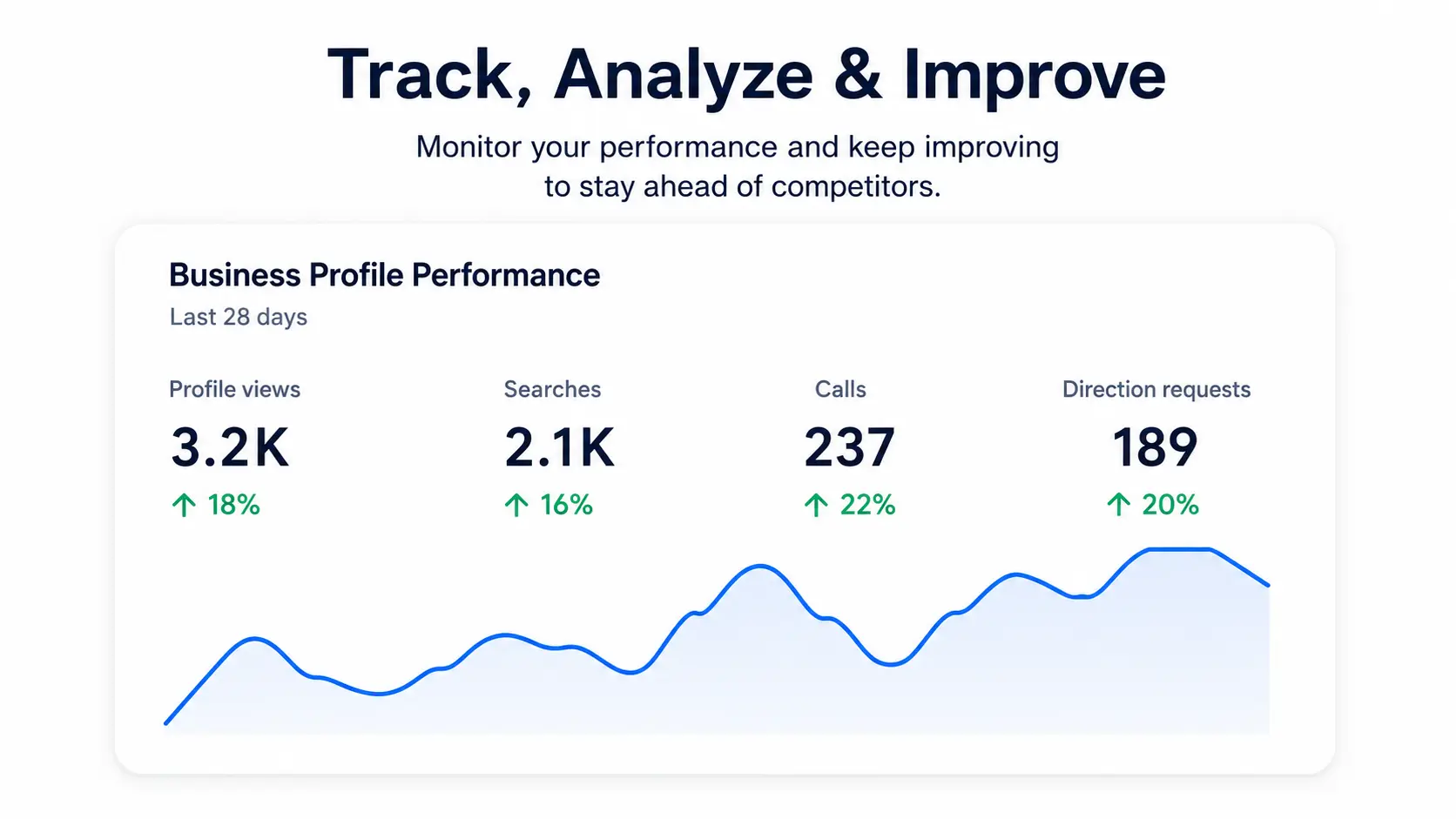
You don’t need an expensive software stack to get started.
These free tools can help you monitor and improve your local presence.
| Tool | Purpose |
|---|---|
| Google Business Profile | Manage your business listing |
| Google Search Console | Monitor search performance |
| Google Analytics 4 | Understand visitor behavior |
| Google PageSpeed Insights | Measure website performance |
| Google Rich Results Test | Validate structured data |
| Google Maps | Review competitor listings |
| Google Business Profile Performance | Measure calls, clicks, and direction requests |
| Bing Places | Expand your visibility beyond Google |
As your business grows, paid Local SEO platforms can provide additional reporting and management features, but these free tools are enough for most businesses getting started.
Final Google Maps SEO Checklist
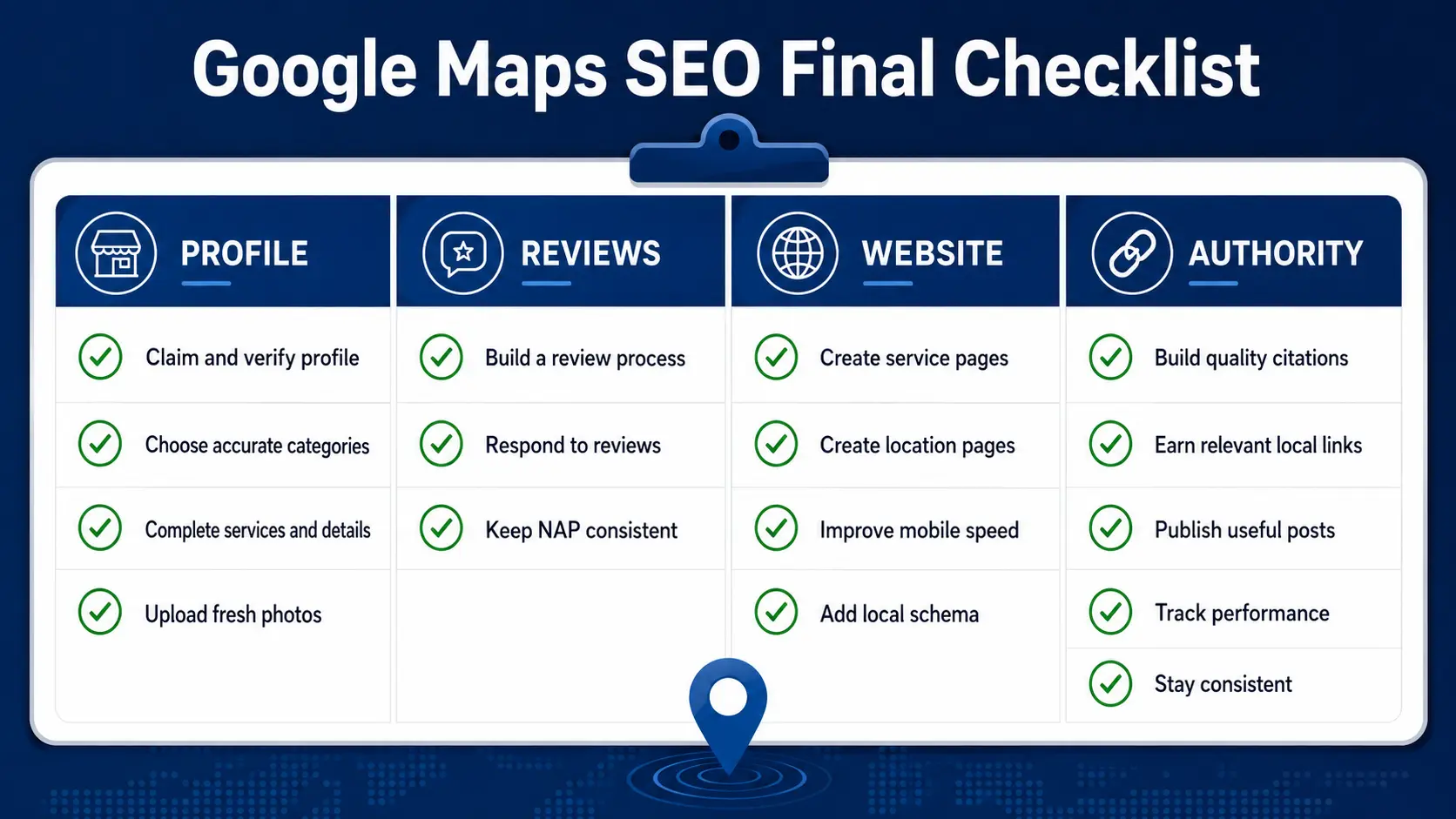
Before you publish your strategy, make sure you’ve completed the essentials.
Google Business Profile
Reviews
Website
Local Authority
Final Thoughts
Ranking higher on Google Maps isn’t about finding a single trick or exploiting a hidden ranking factor.
It’s about building a business that Google can confidently recommend to local customers.
When your Google Business Profile is complete, your website is fast and informative, your reviews are authentic, and your business is consistently represented across the web, you create the kind of trust signals that support long-term Local SEO success.
The businesses that perform best in Google Maps don’t treat optimization as a one-time task. They continue improving their profiles, publishing useful content, earning customer feedback, and refining their online presence month after month.
If you commit to the strategies in this guide, you’ll be in a much stronger position to increase your visibility, attract more qualified local customers, and compete effectively in Australia’s local search results, both today and as search continues to evolve.
Frequently Asked Questions (FAQ)
How long does it take to rank higher on Google Maps?
There’s no guaranteed timeline. Many businesses begin seeing improvements within a few months after consistently optimizing their Google Business Profile, website, reviews, and local authority. Highly competitive industries and cities may take longer.
Can I rank without a website?
A Google Business Profile can appear in Google Maps without a website, but a well-optimized website strengthens your credibility and provides Google with additional information about your business.
How many Google reviews do I need?
There’s no magic number. Instead of comparing yourself to businesses in other industries, compare yourself to the top competitors in your local market. Aim for a steady flow of authentic reviews rather than chasing a specific total.
Do keywords in reviews help?
Customers naturally mentioning your services or location may provide additional context, but you should never ask customers to include specific keywords. Ask for honest feedback, not keyword-rich reviews.
Should I create a Google Post every day?
Not necessarily. One high-quality post each week is a realistic schedule for most local businesses. Consistency matters more than frequency.
Does responding to reviews improve rankings?
Google hasn’t confirmed a direct ranking benefit, but responding to reviews improves customer engagement and demonstrates that your business values feedback.